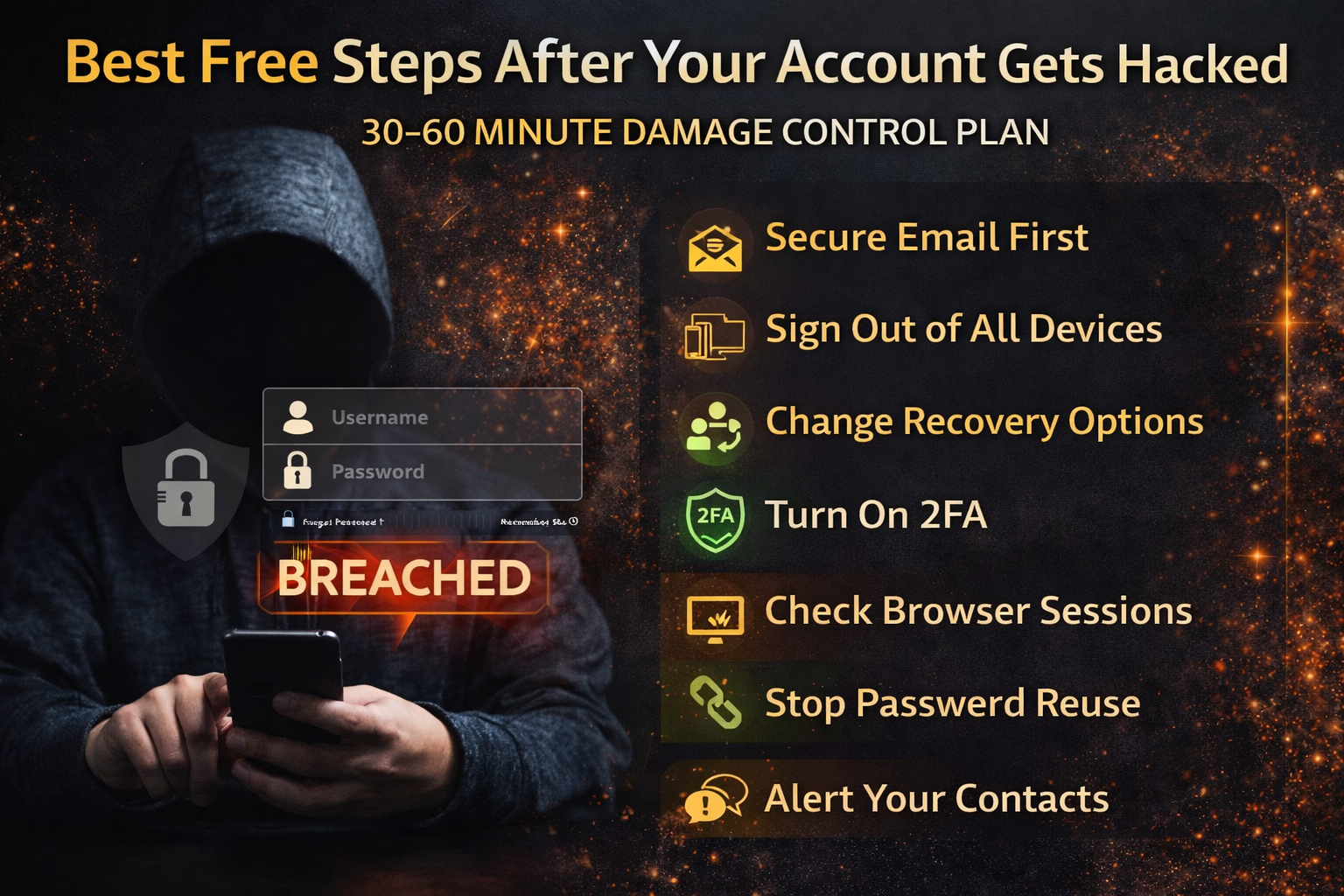
Best Free Steps After Your Account Gets Hacked
When an account gets hacked, most people panic and do the wrong thing first—like arguing with the hacker in messages, posting publicly, or randomly changing passwords without securing the “master keys.” The truth is: account takeovers usually spread through email access, password reuse, SIM swap, or stolen browser sessions. That means if you fix the problem in the right order, you can stop the damage fast—even without paid tools.
This guide is written for normal people. It gives a clear, practical sequence you can follow to regain control, block the attacker, and prevent the same hack from happening again.
What “Hacked” Usually Means (So You Don’t Waste Time)
Most “hacks” are not movie-style hacking. In 2026, the most common account takeovers happen because:
- your password was leaked in a breach and reused elsewhere
- your email account was compromised and password resets were intercepted
- you clicked a fake login page and gave your password (phishing)
- your browser stored a session token and malware or a malicious extension stole it
- your phone number was hijacked (SIM swap) and the attacker received OTP codes
That’s why “I changed my password but they still got in” happens. If the attacker still has email access, an active session, or your number, they can get back in.
First: Identify What Type of Hack You’re Facing (Fast Signs)
Signs it’s mainly a password breach
You see login attempts from unknown locations, password reset emails, or “new login detected” alerts. The account is still accessible, but you feel someone is testing it.
Signs it’s an email takeover
You stop receiving emails, your recovery email/phone changed, your security settings changed, or password reset emails disappear from your inbox. Email takeover is serious because email controls resets for almost everything else.
Signs it’s a session/token hijack
Your password is correct and 2FA is on, but the attacker is still logged in somewhere. This often happens with stolen browser sessions or “Remember me” sessions.
Signs it’s SIM swap
Your phone suddenly loses signal, SIM stops working, OTP codes stop arriving, or you see “SIM change” messages from your network/provider.
Knowing the type helps you fix the right root cause instead of repeating the same failure.
The Golden Rule: Secure Your Email First
Your email account is the “master key” because it can reset passwords for social media, banking, marketplaces, cloud accounts, and messaging apps. If the hacker controls your email, they can take everything back again even if you change passwords elsewhere.
If only one account is hacked, still treat your email as priority, because attackers often try to escalate to email next.
Step-by-Step: The Best Free Steps After Your Account Gets Hacked (2026)
Step 1: Lock down the most important account immediately (email or the hacked account)
The first goal is to stop the attacker’s access. If you can still log in, go directly to the account’s security page and do these in one sitting:
Change the password to something new and unique (not a small variation of your old password).
If the site offers it, sign out of all devices/sessions (often called “Log out everywhere” or “Sign out of all sessions”).
Turn on 2FA if it’s not already enabled.
This step prevents the attacker from continuing to operate while you fix everything else.
Step 2: Remove the attacker’s “re-entry doors” (sessions, devices, recovery options)
Attackers often don’t need your password once they control sessions or recovery settings. After changing the password, check:
Active sessions / logged-in devices: remove anything you don’t recognize.
Linked devices: especially messaging apps and social accounts. Hackers often attach their own device for silent access.
Recovery email/phone: confirm it’s yours. Attackers commonly change recovery methods to lock you out later.
App passwords / third-party access: revoke anything you don’t recognize (some apps keep access even after password change).
This is where many people fail: they change the password but leave the attacker’s session alive.
Step 3: Check your email rules and forwarding (this is a hidden trick attackers use)
If your email was involved, check for suspicious:
Forwarding addresses (emails being silently forwarded to the attacker)
Filters/rules that auto-delete security alerts or password reset messages
New “allowed senders” or inbox rules you didn’t create
This matters because email attackers often hide their activity by filtering out security notifications so you don’t see what they changed.
Step 4: Secure your phone number if you suspect SIM swap
If your SIM suddenly stopped working, treat it as urgent. SIM swap attacks are dangerous because they let attackers receive OTP codes for logins and banking.
Key signs include losing mobile signal unexpectedly, receiving carrier messages about SIM changes, or suddenly not receiving OTP codes. If that’s happening, the safest move is to contact your carrier/provider immediately and restore SIM control, then reset your account security afterward.
Even if you regain your accounts, a compromised number can allow repeated takeovers.
Step 5: Change passwords in the correct order (so you don’t lose time)
After the first lock-down, change passwords in a priority order that stops the biggest damage first:
- Email account (Gmail/Outlook/iCloud)
- Banking/payment apps and money-related accounts
- Apple ID / Google account (these control your device ecosystem)
- Social media (Facebook/Instagram/TikTok/X)
- Messaging apps (WhatsApp/Telegram)
- Marketplaces & shopping (Amazon/eBay/Daraz etc.)
- Anything else where your card, identity, or contacts are stored
This order matters because email + money accounts create the largest real-world harm.
Step 6: Stop password reuse (the most common reason hacks spread)
If one password is reused across multiple sites, attackers will try it everywhere. This is how one breach becomes ten hacked accounts.
A simple way to break that chain is to ensure your most important accounts (email, banking, social) have unique passwords that you have never used elsewhere. Even without any paid tools, modern browsers and phone password managers can help store strong unique passwords.
Step 7: Check your browser for the “silent killer”: malicious extensions and saved sessions
A lot of “I keep getting hacked” cases happen because the problem is not the password—it’s the browser.
If you had a suspicious extension installed, clicked unknown “download” prompts, or used cracked software, assume your browser sessions could be compromised. Remove unknown extensions, sign out of sessions, and re-login only after the browser is clean.
If the attacker keeps returning even after password resets and logouts, this is one of the first causes to suspect.
Step 8: Review recent activity and alerts (so you know what was changed)
Look for:
New logins you don’t recognize
New devices linked to your account
Email or phone changes
Password reset attempts
Messages sent that you didn’t write
Payments/transactions you didn’t authorize
This is important because you’ll often discover secondary damage—like messages sent to friends (to spread scams) or recovery settings changed.
Step 9: Warn your contacts in a safe way (to stop scam spreading)
If your account sent strange messages, your contacts may be targeted next. Attackers often use hacked accounts to send scam links that look real because they come from a friend.
A short, clear message works best: “My account was hacked. Ignore any links/messages from me today. If you clicked anything, change your password and enable 2FA.”
This simple warning can stop a chain reaction.
Step 10: Save proof if money or identity was involved
If there were unauthorized payments, suspicious account changes, or identity details exposed, capture screenshots of:
Login alerts
Security setting changes
Transaction evidence
Support tickets and reference numbers
Keeping proof helps when dealing with banks, platforms, or recovery processes.
“I Changed My Password But They Still Get In” — Why It Happens
This is one of the most common situations. It usually happens because at least one of these is still true:
- the attacker is still logged in via an active session
- your email is still compromised (they reset it again)
- your phone number is compromised (SIM swap)
- your device or browser is compromised (malware/extension stole session)
- you reused the new password somewhere else or stored it unsafely
That’s why the “logout everywhere + remove devices + check email forwarding/rules” steps are so important.
The 3 Biggest Mistakes People Make After a Hack
Many people only change passwords and stop. That leaves sessions, recovery methods, and linked devices untouched.
Many people secure social media first and forget email. If email is compromised, everything becomes hackable again.
Many people ignore the phone number. If SIM swap is involved, attackers can repeatedly bypass OTP and regain access.
Avoiding these three mistakes dramatically improves recovery success.
FAQs
Should I pay someone online to “recover” my account?
Be careful. Many “recovery services” are scams. The safest path is using the platform’s official recovery methods and securing email/phone/device in the right order.
Should I delete the account?
Deleting doesn’t always remove the attacker’s access immediately, and it can complicate recovery. Regaining control, removing sessions, and securing recovery options is usually the safest first move.
How do I know if it’s phishing vs breach?
If you remember entering your password on a link from email/SMS, it’s often phishing. If you reused passwords and your email appears in breach lists, it’s often credential stuffing. Either way, the recovery order remains similar: email → sessions → recovery → passwords.
About The Author




