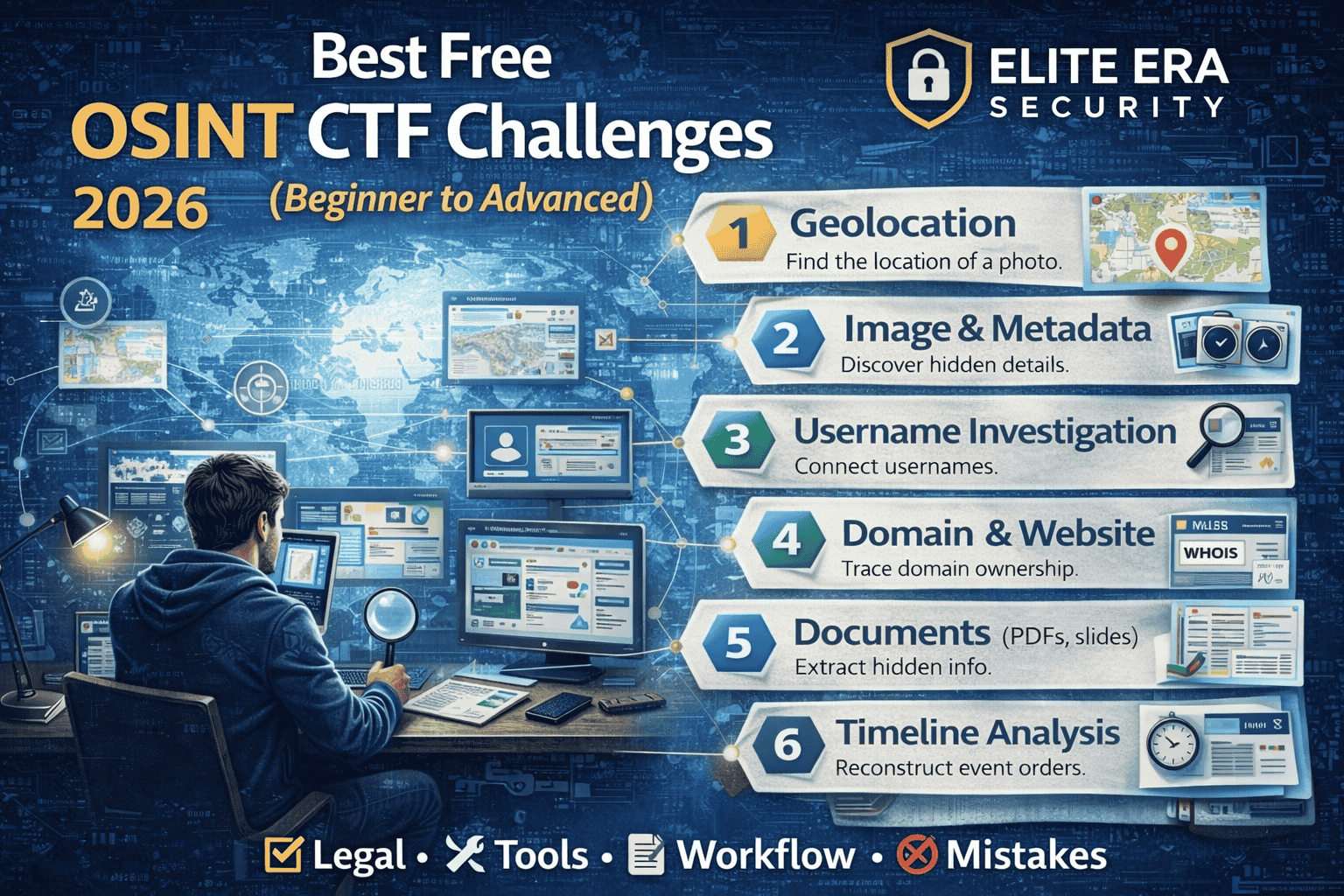
Best Free OSINT CTF Challenges (2026): Beginner to Advanced Practice
OSINT (Open-Source Intelligence) is one of the most practical cybersecurity skills you can learn because it trains you to find, verify, and connect information using publicly available sources. It’s also one of the best beginner areas because you don’t need heavy tools or complicated setups you need a clear workflow and strong thinking.
That said, OSINT can become messy fast. Beginners often jump into random searches, open too many tabs, and lose track of what they’re trying to prove. Good OSINT practice is the opposite: it’s structured, evidence-based, and repeatable.If you’re still choosing where to practice, this guide lists the best free CTF platforms for beginners and which one fits your goal.
This guide covers the best free OSINT CTF challenge types you should practice in 2026, how to approach them from beginner to advanced level, the simplest tool stack, and a clean investigation workflow you can reuse for every challenge.
What is an OSINT CTF?
An OSINT CTF is a challenge where the “flag” is found through public information rather than exploitation. Instead of scanning networks or using hacking tools, you use open sources to answer questions like:
- Who is this person (in a fictional scenario)?
- Where was this photo taken?
- What company owns this domain?
- What is the timeline of events?
- What detail is hidden in a public document?
The goal isn’t “stalking” or privacy invasion. The goal is OSINT methodology—learning how investigators confirm facts legally and responsibly.
OSINT CTF rules
Before practice, set the standard. OSINT is about public data, but you still need boundaries.
Do:
- Use publicly available sources and challenge-provided artifacts
- Focus on verification (prove, don’t guess)
- Record sources you used (links, screenshots, notes)
Don’t:
- Dox, harass, or target real individuals
- Use private data leaks or paid “data broker” dumps
- Break platform terms of service or access controls
- Cross into real-world targeting without permission
Beginner mindset: In OSINT, being “confident” is not the same as being correct. Your job is to prove your answer with evidence.
The OSINT CTF starter kit
You don’t need a hundred tools. You need a clean toolkit you can trust.
Essential (Beginner)
- A separate browser profile (for OSINT only)
- Notes (Notion / Google Docs / Obsidian)
- A screenshot tool (built-in is fine)
- A basic time converter / timezone awareness
Strong “free” additions (Intermediate)
- Reverse image search (use multiple engines)
- WHOIS + DNS lookup tools (web-based)
- Archive tools (cached pages, archive snapshots)
- EXIF/metadata viewers (when the challenge includes images)
Advanced
- Graph mapping (relationships/timelines)
- Advanced search operators and automation (careful, not required)
Tip: Your notes are your most powerful OSINT tool. OSINT success comes from tracking evidence, not memorizing websites.
New to CTF setup and beginner workflow? This free CTF starter kit explains the simplest setup, legal rules, and a repeatable method to solve your first challenges.
The OSINT CTF workflow
OSINT becomes easy when you stop guessing and follow a workflow.
Step 1: Rewrite the goal in one sentence
Before you search, write:
- “I need to find and prove it using public sources.”
Step 2: Identify your evidence type
Ask: What kind of proof is expected?
- a location (geo), a name, a domain owner, a timestamp, a document reference, a social handle, etc.
Step 3: Build 3 hypotheses (not 30 tabs)
Write 2–3 possible directions, then test them one at a time.
Step 4: Use “triangulation”
Never rely on one source. Confirm with at least two independent clues.
Step 5: Document your trail
Save:
- what you searched
- what you found
- why you trust it
- how it answers the prompt
This turns OSINT into a professional skill instead of random browsing.
Best Free OSINT CTF Challenge Types (Beginner → Advanced)
Below are the most valuable OSINT CTF categories to practice. Each one includes: what it teaches, beginner approach, and what “advanced” looks like.
1) Geolocation challenges (GeoOSINT)
What it teaches: observation, verification, map thinking, visual clues
These challenges ask you to identify where a photo was taken (or narrow it down).
Beginner approach
Start by listing visible clues:
- language on signs
- road markings
- architecture style
- vegetation/climate hints
- vehicle plates (if challenge allows)
- landmarks, mountains, coastlines
Then use:
- reverse image search
- map comparisons
- street-level imagery (when applicable)
Advanced level
You’ll use “micro-clues”:
- shadows (sun direction/time)
- regional utility poles
- sidewalk patterns
- building numbering styles
- businesses and local brands
Best practice: write down the clues first—don’t jump into maps immediately.
2) Image and metadata challenges
What it teaches: digital forensics mindset inside OSINT
Sometimes the answer is in metadata or hidden context, not the visible image.
Beginner approach
- check filename hints
- check EXIF metadata (if available)
- look for hidden text or watermarks
- zoom into corners, reflections, and screens
Advanced level
- cross-check timestamps with weather, events, or public posts
- look for camera model clues and typical file patterns
- compare edits/compression artifacts for hints
Common mistake: assuming metadata is always there. Many CTF images are stripped—so use metadata as one step, not the whole plan.
3) Username / handle investigation challenges
What it teaches: identity correlation (without doxxing), careful verification
Goal: connect a username to other public footprints in the challenge scenario.
Beginner approach
- search the exact handle in quotes
- check variations (underscores, numbers)
- look for repeated bios, avatars, or writing style
Advanced level
- identify reused profile pictures (reverse image)
- correlate posting times and interests
- confirm matches with multiple independent signals
Rule: avoid real-person targeting. CTFs often use fictional or staged accounts; treat it as a learning exercise.
4) Domain + website OSINT challenges
What it teaches: internet infrastructure basics, attribution thinking
Goal: learn who owns a domain, when it was created, or how it changed over time.
Beginner approach
- use WHOIS and DNS lookups (web tools)
- check certificate transparency logs (public certificate records)
- search cached versions of pages
Advanced level
- map subdomains and historical redirects
- compare archived snapshots over time
- correlate brand changes with public announcements
Pro tip: domains leave a long trail. Archive tools often solve what “today’s website” hides.
5) Document OSINT challenges (PDFs, slides, reports)
What it teaches: research discipline and hidden details
CTFs sometimes hide answers in public documents.
Beginner approach
- search within documents for keywords
- inspect headings, footers, references
- check author/producer fields (metadata)
- look for revision history hints (when available)
Advanced level
- trace citations to original sources
- verify facts using official records or credible outlets
- extract timeline from multiple documents
Common mistake: reading the whole document. Start by searching smart.
6) Timeline reconstruction challenges
What it teaches: investigation logic and evidence tracking
Goal: rebuild events in the right order using posts, screenshots, logs, or public info.
Beginner approach
- list all timestamps you can find
- normalize timezones (very important)
- create a simple 5–10 line timeline
Advanced level
- reconcile conflicting timestamps
- confirm with independent sources
- identify what’s missing and why
Tip: timelines are easy to get wrong if you don’t normalize timezones first.
7) “Find the real source” verification challenges
What it teaches: verification, misinformation resistance
Goal: identify the original source of an image, quote, or claim.
Beginner approach
- reverse image search on multiple engines
- search the exact quote in quotes
- check archive/cached versions
Advanced level
- identify earliest known appearance
- evaluate source credibility
- compare edited vs original versions
This category is extremely valuable because it mirrors real-world investigation work.
A clean OSINT practice roadmap (Beginner → Intermediate)
If you want fast progress, don’t practice randomly. Practice in levels.
Week 1: OSINT foundations (easy wins)
Focus on:
- reverse image search basics
- keyword search and operators
- notes discipline + evidence logging
Practice challenge types:
- easy geolocation
- handle search
- basic domain lookups
Week 2: Verification and triangulation
Focus on:
- confirming with multiple sources
- using archives/caches
- documenting why your answer is correct
Practice:
- “find original source”
- document OSINT
- simple timelines
Week 3–4: Intermediate depth
Focus on:
- complex geolocation
- timeline contradictions
- deeper domain trails and historical snapshots
Practice:
- mixed challenges that combine photo + handle + domain + timeline
If you want a full daily schedule (not just OSINT), follow this 30-day CTF practice roadmap to build consistent momentum across Web, Linux, Crypto, Forensics, and OSINT.
Common OSINT CTF mistakes
OSINT beginners lose points for predictable reasons:
- Too many tabs, no notes → Use a single doc; log each clue as you find it
- One-source answers → Always triangulate
- Assuming instead of proving → Evidence matters more than confidence
- Not tracking timezones → Normalize time early
- Jumping to advanced tools → Start with clue listing and simple searches first
If your workflow stays clean, your accuracy improves fast.
To improve faster, write a short OSINT writeup after every solved challenge. Use this free CTF writeup template to document your steps clearly.
FAQs
What are OSINT CTF challenges?
OSINT CTF challenges are puzzles where you find the answer using public information—like images, domains, documents, archives, and open sources—without hacking or exploiting systems.
Are OSINT CTF challenges legal?
Yes, when you practice on training platforms and use public sources responsibly. Avoid doxxing, targeting real people, or using private/illegal datasets.
What is the best free way to practice OSINT?
Start with beginner OSINT challenges such as geolocation, reverse image search, domain/website OSINT, and document OSINT. Use a structured workflow and keep evidence-based notes.
Do I need paid OSINT tools?
No. You can become highly skilled using free tools, strong search techniques, and good verification habits. Paid tools can speed up work later, but they’re not required for learning.
How do I get better at OSINT quickly?
Follow a repeatable workflow, practice a few challenge types consistently, and always document your evidence. Triangulation and note discipline are the fastest accelerators.
About The Author




