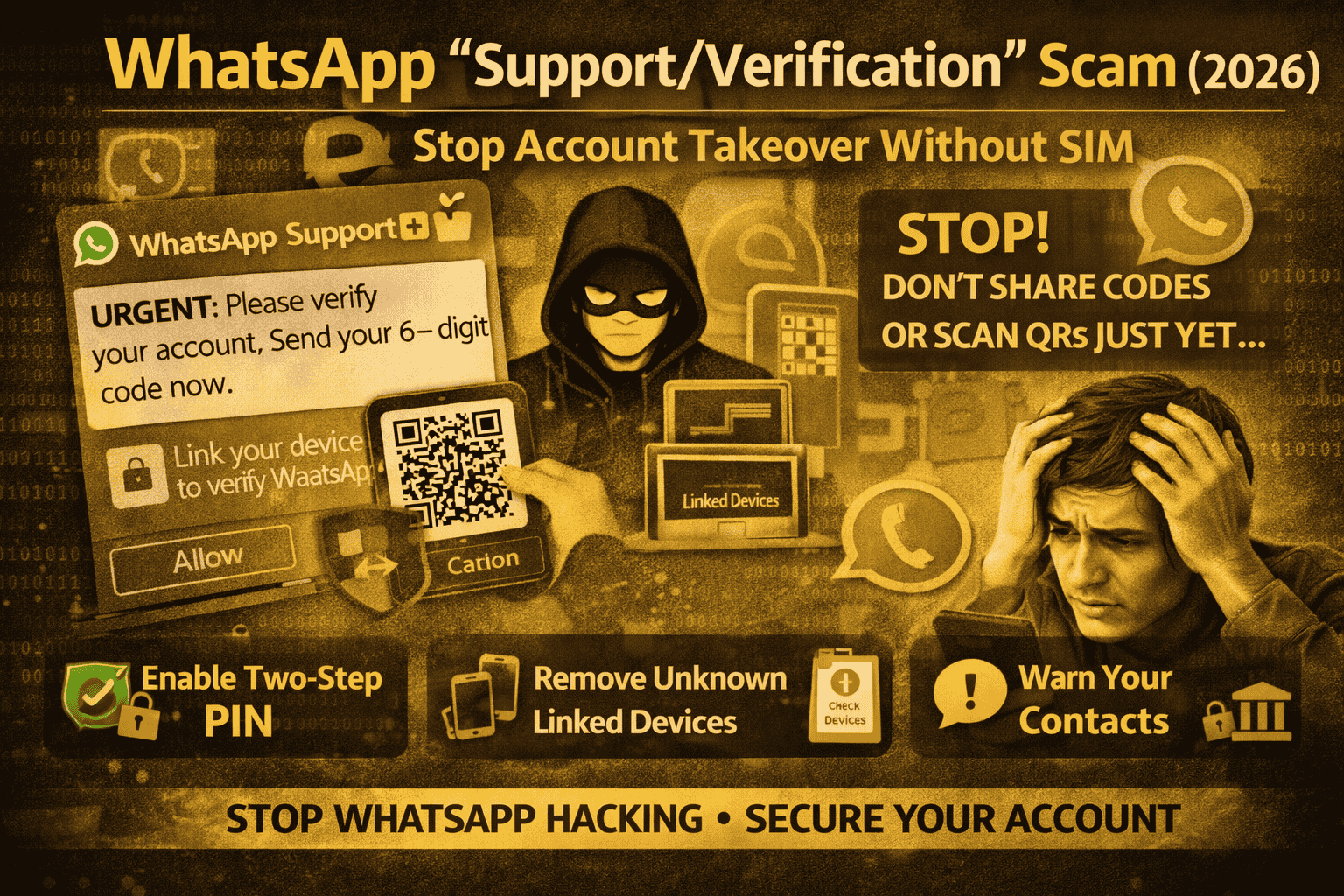
WhatsApp “Support/Verification” Scam (2026): How Scammers Take Over WhatsApp
You get a message that feels urgent: “WhatsApp Support: verify your account,” or “Your WhatsApp will be disabled send the code,” or even a message from a friend saying “I sent you a code by mistake, please forward it.” People respond fast because they don’t want to lose their WhatsApp.
But the truth is: WhatsApp account takeovers often happen because someone convinces you to hand over access yourself either by sharing the 6-digit registration code (OTP) or by accidentally linking your WhatsApp to the attacker’s device using WhatsApp’s “Linked Devices” feature (a newer style of takeover reported in late 2025–early 2026).
What the “Verification / Support” scam is
This scam is basically a trick to capture either:
1) Your WhatsApp registration code (OTP)
When someone tries to register your phone number on another device, WhatsApp sends a 6-digit code to your phone. If the scammer gets that code, they can register your WhatsApp on their phone and lock you out. WhatsApp clearly warns: never share your registration code or two-step verification PIN.
2) A linked-device connection (WhatsApp Web / Companion mode style)
Instead of stealing the OTP, scammers may trick you into linking a device by getting you to scan a QR or follow steps that connect your WhatsApp to their device. Research and recent advisories describe “GhostPairing” / linked-device abuse as a method that can provide ongoing access once a device is linked.
Both paths end in the same outcome: the attacker can message your contacts as you, run money scams, and try to spread the trick to more people.
How scammers take over WhatsApp
This is the classic WhatsApp verification scam. It usually goes like this:
You receive a message pretending to be WhatsApp Support or a friend. It creates urgency: “Your account is being verified,” “Your number is being used elsewhere,” or “I accidentally entered your number—send me the code you received.”
At the same time, the attacker attempts to register your WhatsApp on their phone, which triggers WhatsApp to send the 6-digit code to your phone. If you forward it, you hand them the key to your account. WhatsApp’s own help pages warn that if you receive a verification code you didn’t request, someone may be trying to take over your account.
Method B: The “Link your device” / QR / pairing scam (no SIM swap needed)
This version is spreading because it feels even more “normal.” You might be told:
- “Scan this QR to verify WhatsApp”
- “Link WhatsApp Web to see the file/photo”
- “Open this page and connect your WhatsApp”
If you follow the steps, you may accidentally link the attacker’s device to your WhatsApp. Security researchers have described this as a takeover method that relies on social engineering and WhatsApp’s device linking features (often framed as “pairing” scams).
The biggest warning signs
If any of the following happens, treat it like a red alert:
You receive a message telling you to share a WhatsApp verification code or PIN. WhatsApp explicitly says not to share these with anyone—ever.
You are told to scan a QR code or “pair/link your WhatsApp” to view something (a document, photo, vote, prize, verification, etc.). Government and security advisories warn about QR/device-link scams used for account takeovers.
You suddenly see signs of new logins or your contacts say they got strange messages from you.
What to do right now if you suspect this scam
Step 1: If you shared the 6-digit code, act fast
Immediately try to re-register your WhatsApp using your own number. This often forces WhatsApp to move the account back to your phone.
Then secure it: enable Two-Step Verification (PIN). WhatsApp explains how two-step verification adds a PIN layer to protect your account.
Step 2: Check and remove unknown “Linked Devices”
If an attacker linked a device, they can sit quietly and read messages in real time. So you should open WhatsApp and check Linked Devices, then remove anything you don’t recognize.
Recent reporting and research describe linked-device abuse as a key path for silent access, so this step matters even if your phone still “looks normal.”
Step 3: Turn on Two-Step Verification (PIN) and add email
Enable WhatsApp Two-Step Verification and add an email address (so you can recover your PIN if you forget). WhatsApp’s official guidance recommends enabling two-step verification and never sharing your PIN.
Step 4: Warn your contacts (this stops the chain)
Once attackers control your WhatsApp, they often message your friends and family asking for money or codes. Send a broadcast or status update:
“I was targeted by a WhatsApp scam. Don’t share codes. Don’t click links from my account until I confirm.”
This breaks the scam’s biggest advantage: trust.
Step 5: If money was involved, contact your bank immediately
Many official police advisories about WhatsApp takeover scams recommend contacting your bank quickly and reporting the incident if fraud occurred.
How to prevent this forever
The best protection is one rule: no code sharing, no QR pairing from messages. WhatsApp repeats this directly: never share your registration code or two-step verification PIN.
Also, anytime you receive an urgent WhatsApp “support” message, don’t follow instructions inside the message. Open WhatsApp settings yourself and check your account security there.
And once a month, quickly check Linked Devices. If it’s empty or only your own laptop, you’re good.
FAQs
WhatsApp Support asked me for a code—was it real?
No. WhatsApp’s own help pages warn users not to share the 6-digit registration code or two-step verification PIN with anyone.
Can scammers take over WhatsApp without my SIM?
Yes—scams involving device linking / “paired devices” can provide access without SIM swapping, according to recent research and advisories discussing linked-device abuse (“GhostPairing” style scams).
I got a verification code but I didn’t request it—what does that mean?
It can mean someone is trying to register your number on another device. WhatsApp says that without that code, they can’t complete the takeover—so don’t share it and secure your account.
Will two-step verification help?
Yes. Two-step verification adds a PIN layer that reduces account takeover risk if someone tries to register your number. WhatsApp provides official instructions to enable it and optionally add email for recovery.
About The Author




