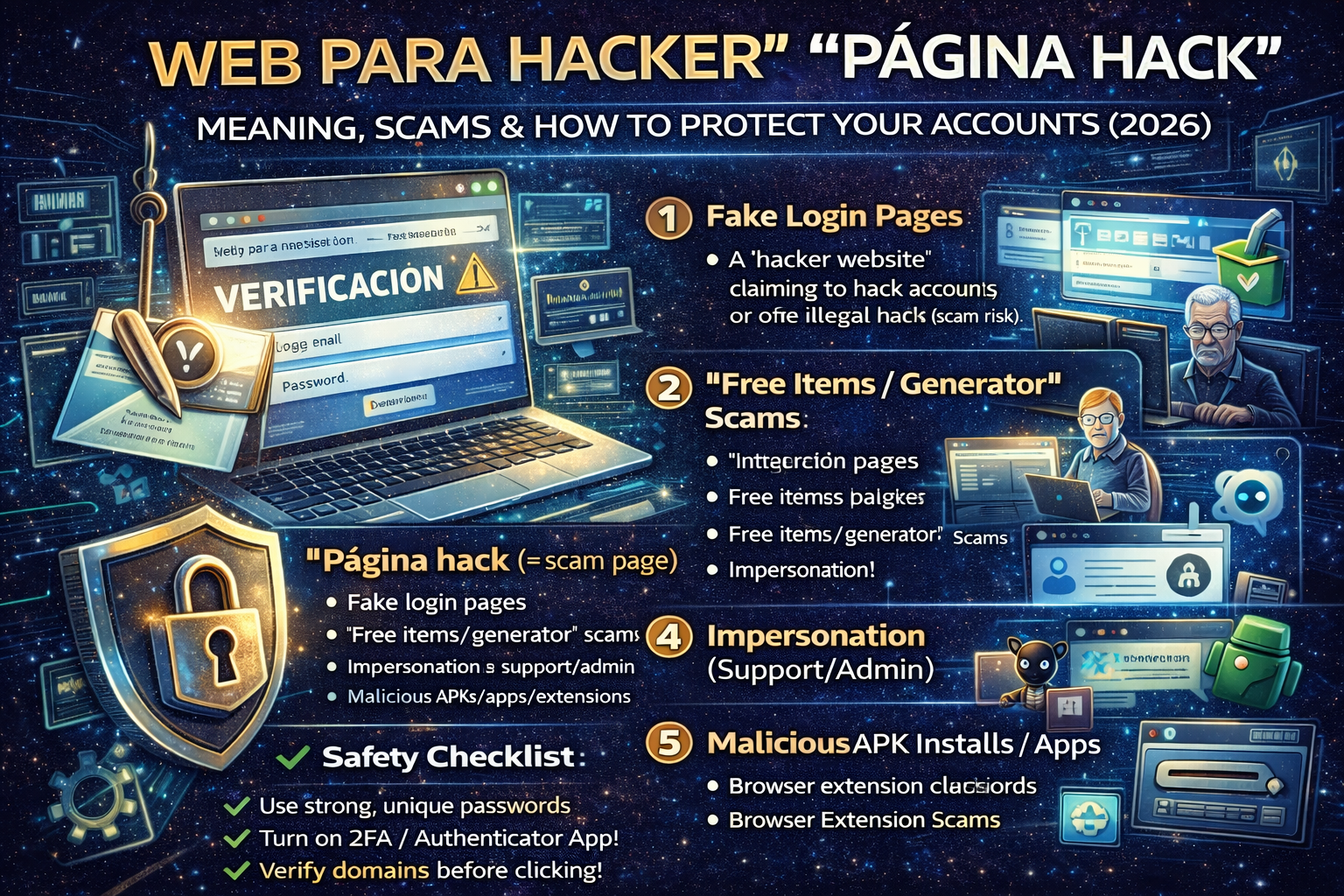
If you’ve seen phrases like “web para hacker” or “página hack” on social media, WhatsApp groups, gaming forums, or YouTube comments, you’re not alone. In many Spanish-speaking communities, these terms are often used in one of two ways:
- Slang for a “hacker website” (sites that claim to hack accounts, generate free items, unlock premium features, etc.)
- A warning label (people saying “no entres, es página hack” = “don’t enter, it’s a hack page”)
In real life, the majority of “página hack” links are phishing or credential-stealing scams—they’re designed to trick you into typing your username/password or installing something malicious. This aligns with the general definition of phishing: attackers impersonate a trusted service to manipulate victims into revealing confidential data or clicking malicious links.
This guide explains these terms in a safe, clear way, shows common scam patterns, and gives a practical checklist to protect yourself
What does “página hack” usually mean?
In many contexts, “página hack” is informal slang for:
- a fake login page pretending to be Facebook/Instagram/Google/Steam/Free Fire, etc.
- a “generator” page that promises “free diamonds,” “free followers,” “free skins,” or “account recovery”
- a link shared to steal accounts, often targeting gamers and social media users (you’ll see posts telling people not to enter the page because it’s a “página hack” in forum communities)
Important: “Hack” here doesn’t always mean real hacking. Usually it means a scam page.
What does “web para hacker” usually mean?
“Web para hacker” translates to “a website for hackers.” Online it can mean:
- a site that teaches ethical hacking (legal training, labs, cybersecurity education)
- a site that claims to offer illegal hacking services (almost always scams or malware delivery)
- a generic phrase used in spam posts to attract clicks
Because the phrase is vague, treat any “web para hacker” link as high-risk unless it’s a clearly reputable learning platform.
The 6 most common “página hack” scam types
1) Fake login pages (the #1 pattern)
You click a link that looks like:
- “Verify your account”
- “Security check”
- “Unlock premium”
- “Recover account”
Then it shows a login screen. When you type your credentials, they go to the attacker. This is classic phishing behavior.
Red flags
- URL is not the official domain
- weird spelling, extra dashes, strange subdomains
- “Login to claim prize” urgency
2) “Free items / generator” pages (gaming-heavy)
These promise:
- free diamonds/UC/coins
- free skins
- “free followers/likes”
They push you to “log in” or “complete verification.” The goal is:
- steal your account, or
- force you into survey/ad fraud, or
- make you install malicious apps/extensions
3) “Account recovery” scams
You’ll see posts like:
- “Recupero cuentas”
- “Hack/recover”
- “I can get your account back”
They ask for:
- your email + password
- OTP codes
- backup codes
- screenshots of your recovery settings
This is usually a theft attempt.
4) “Support / admin” impersonation
The attacker pretends to be:
- game support
- Instagram/Facebook support
- a moderator/admin
They pressure you to click a link and “confirm.”
5) Malicious APK / app installs (Android trap)
They offer an “injector” or “hack app” download.
You install it → it steals SMS/2FA codes, notifications, passwords, cookies.
6) Browser extension scams
They ask you to install a Chrome extension for “tools.”
Extensions can read pages, steal sessions, or inject ads.
How to protect yourself (quick checklist)
A) Before you click any link
- Check the domain carefully (not just the page design)
- Avoid shortened links unless you fully trust the sender
- If someone says “no entres, es página hack,” take that seriously
B) If you already entered your password on a suspicious page
Do this immediately:
- Change your password (from a clean device)
- Log out of all sessions (security settings → “log out everywhere”)
- Enable 2FA (authenticator app is best)
- Check recovery email/phone (attackers sometimes change them)
- Look for new devices / new logins and remove them
- If it’s a game account: check trade history / linked accounts
C) Make account theft much harder (2026 basics)
- Use a password manager + unique passwords
- Turn on 2FA on email first (because email controls resets)
- Don’t share OTP codes or “backup codes” with anyone
- Keep your phone and browser updated
How to tell a legit ethical hacking site from a “página hack”
A legitimate ethical hacking learning site typically has:
- clear legal language: “authorized testing,” “labs,” “CTF,” “training”
- educational content: fundamentals, defensive guidance, safe practice
- no promises like “hack any account” or “unlock paid features”
A scam “página hack” typically has:
- urgency (“only today,” “confirm now”)
- rewards (“free followers/diamonds/skins”)
- asks for login credentials on a suspicious domain
- pushes downloads (APK/exe) or shady extensions
If you run a website: how to avoid being flagged as hacked/spam
If your WordPress site ever gets compromised and starts serving redirects or spam pages, Google can treat that as hacked content, which is covered under spam policies.
Minimum website safety steps
- Keep WordPress/plugins/themes updated
- Use strong admin passwords + 2FA
- Use a firewall/WAF
- Monitor for redirects, new admin users, unknown files
- Regular offsite backups
FAQ
Is “página hack” always a hacking website?
No. Most of the time it’s slang for a scam/phishing page designed to steal accounts, especially in gaming communities.
What should I do if someone sends me a “web para hacker” link?
Assume it’s risky. Don’t log in, don’t download anything, and verify the domain. If it’s a learning site, it should clearly present legal training and reputable content.
Can a “página hack” steal my account even with a strong password?
Yes if you typed that password into a fake page, the attacker has it. That’s why 2FA and unique passwords matter.
About The Author




