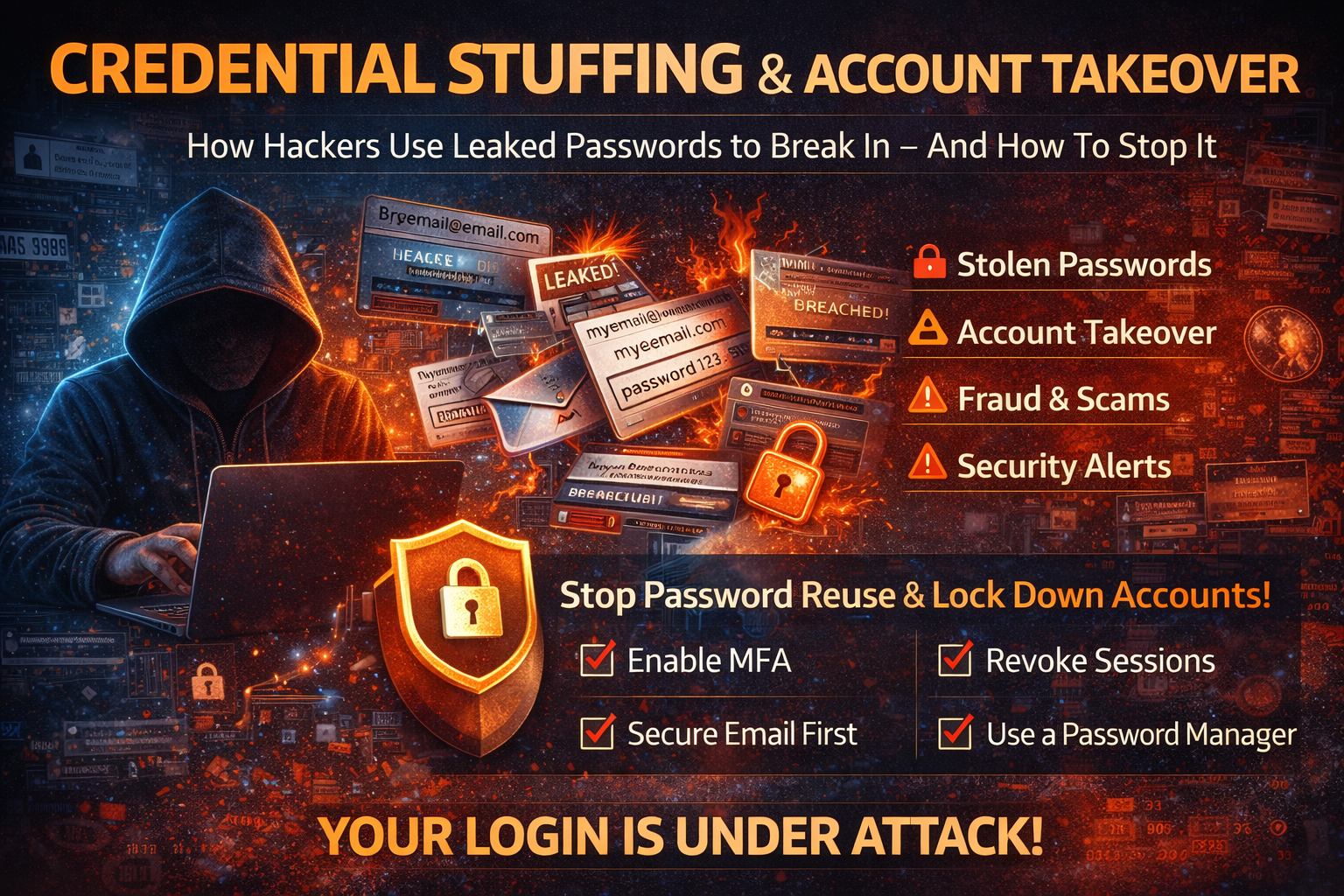
Credential Stuffing & Account Takeover: How Hackers Use Leaked Passwords (And How to Stop It)
Credential theft is no longer “someone guessing your password.” Today, most account hacks happen because your credentials were already leaked somewhere—then attackers reuse them at scale using automated tools. This is called credential stuffing, and it leads directly to account takeover (ATO) on email, social media, banking apps, e-commerce sites, and even business systems like Microsoft 365 and Google Workspace.
If you’ve ever seen alerts like “New login detected,” “Suspicious sign-in,” or your account got locked unexpectedly, there’s a real chance your email or password is circulating in leaked databases. The good news is that credential stuffing is preventable—if you understand how it works and what to fix first.
This guide explains credential stuffing in simple words, shows the biggest warning signs, explains how attackers bypass weak defenses, and gives you a complete step-by-step plan to protect your personal and business accounts.
What Is Credential Stuffing?
Credential stuffing is an attack where hackers take huge lists of stolen usernames/emails and passwords (from data breaches, infostealer logs, or dark web dumps) and automatically try them on many websites until something works.
Attackers don’t need to “hack” a website directly. They simply exploit human behavior: password reuse.
Hackers will try the same email + password on:
- Gmail / Outlook
- Facebook / Instagram
- PayPal
- Bank apps
- WordPress admin
- Shopify stores
- University portals
Even if only 1–3% of attempts work, that’s still thousands of compromised accounts at scale.
Credential Stuffing vs Brute Force: What’s the Difference?
People confuse these attacks, but they’re not the same.
Brute Force Attack
Hackers try many password guesses on one account until they get in. This is slow and usually blocked by rate limits and lockouts.
Credential Stuffing Attack
Hackers use real leaked passwords and try them on many sites automatically. This is faster and more effectivebecause reused passwords are common.
That’s why credential stuffing is one of the biggest causes of modern account hacks.
Where Do Hackers Get Your Password?
Most stolen credentials come from these sources:
1) Data Breaches
A site gets hacked and leaks user databases. Even if passwords are hashed, attackers may crack weak ones.
2) Infostealer Malware
Infostealers steal saved browser passwords, cookies, and session tokens directly from infected devices. This is one reason accounts can get hacked even with “strong passwords,” because sessions/cookies may be stolen.
3) Phishing
Victims type credentials into fake login pages. Those credentials are then reused on real services.
4) Leaked Password Reuse Over Time
A password you used in 2018 can still be used against you in 2026 if you reuse it anywhere. Attackers keep old leak data and continue testing it.
Why Credential Stuffing Works So Well (The Real Reasons)
Credential stuffing succeeds because of a few predictable weaknesses:
Password Reuse
This is the #1 reason. If one site leaks your password, every reused site becomes vulnerable.
Weak “Fallback” Security
Many accounts still rely on:
- weak recovery emails
- SMS-only 2FA
- easy-to-guess security questions
- old phone numbers you no longer control
No Rate Limiting or Bot Protection
Some platforms still allow too many login attempts quickly, which lets automated tools succeed.
Session Persistence
Even if you change a password, an attacker may stay logged in if sessions aren’t revoked and tokens aren’t invalidated.
Warning Signs Your Account Is Being Targeted (Or Already Hit)
If you notice any of the following, treat it seriously:
- “Incorrect password” emails when you didn’t try logging in
- Multiple password reset requests you didn’t initiate
- New device login alerts
- Security codes sent to you unexpectedly
- You’re logged out of accounts randomly
- Your account is locked due to “suspicious activity”
- New recovery email/phone added
- Unknown forwarding rules in email
- Ads created on your social media or business pages
- Messages sent from your account that you didn’t send
- Purchases made that you didn’t authorize
Credential stuffing often starts silently and then becomes visible only after takeover.
What Happens After Account Takeover?
Once attackers take over an account, they don’t stop at one login. They usually do one of the following immediately:
Email Takeover (Most Dangerous)
Email is the master key for all password resets. Attackers often:
- change recovery settings
- add forwarding rules to secretly receive your mail
- search your inbox for bank emails, crypto, or invoices
- reset passwords for other accounts using email access
Social Media Takeover
Attackers use social accounts to:
- scam your friends/followers
- run ads using your payment method
- hijack business pages
- impersonate you to request money
Financial Fraud
If payment apps are linked, attackers attempt:
- unauthorized purchases
- gift card purchases
- changing payout destinations
- adding new beneficiaries
Business System Compromise
For businesses, ATO can lead to:
- admin console access
- CRM takeover
- domain registrar compromise
- WordPress admin takeover
- data export and customer leak
This is why stopping credential stuffing early matters.
How to Stop Credential Stuffing (Step-by-Step)
Step 1: Secure Your Email First
Your email controls password resets. If attackers get email access, they can own everything.
Do this now:
- Change your email password to a strong unique one
- Enable MFA (authenticator app or passkey preferred)
- Remove unknown devices and sessions
- Check recovery email + phone number
- Review forwarding rules and filters
- Check “recent security activity” / login history
If you only secure one account, secure email first.
Step 2: Change Reused Passwords Everywhere (The Right Way)
The only real fix for credential stuffing is ending password reuse.
The rules that actually work:
- Every important account must have a unique password
- Use long passwords (14–20+ characters)
- Use a password manager to generate and store them
- Start with email, banking, work accounts, and social
If you reuse the same password on 5 sites, it’s not 5 passwords. It’s 1 security failure repeated 5 times.
Step 3: Enable Strong MFA (Not Just SMS)
MFA turns “password stolen” into “still not enough.”
Best options
- Passkeys
- Authenticator app codes (TOTP)
- Hardware security keys for admins
Good option
- Push notifications (with number matching)
Avoid if possible
- SMS-only codes (SIM swap and interception risks)
If attackers have your password from a leak, MFA is often the one thing that stops takeover.
Step 4: Revoke Sessions on All Devices
Many people change passwords but forget sessions. If an attacker is already logged in, they can remain inside.
Do this on key services:
- “Sign out of all devices”
- “Revoke sessions”
- “Remove trusted devices”
- “Log out everywhere”
Then log in again only from trusted devices.
Step 5: Lock Down Account Recovery Settings
Attackers love recovery settings because they allow re-entry.
Check and fix:
- Recovery email (must be yours and secured)
- Recovery phone (must be active and yours)
- Remove unknown backup emails/phones
- Remove unknown “trusted devices”
- Remove unknown “app passwords”
- Remove suspicious third-party app access
For email accounts, also check:
- forwarding rules
- filters that auto-delete security alerts
- delegated access
Step 6: Watch for “Hidden Persistence”
After takeover, attackers may set backdoors such as:
- new recovery methods
- forwarding rules
- extra admin users (business accounts)
- connected apps with full access
Even if you regain access, they can return unless you remove these.
Business Protection: Stop Credential Stuffing on Your Website or App
If you run a website (e-commerce, membership site, WordPress), credential stuffing can hit your users too. Here’s what actually helps:
1) Rate Limit Login + Password Reset Endpoints
Slow down bots by limiting attempts per IP and per username/email.
2) Bot Detection / WAF
Use protection that detects automation (not just simple CAPTCHAs). Bots can solve weak CAPTCHAs.
3) Add MFA for Admin Accounts
WordPress admins, hosting panels, cPanel, and registrar accounts should all use MFA.
4) Password Policy That Encourages Unique Passwords
Don’t just enforce complexity; encourage uniqueness and length. Better: offer passkeys where possible.
5) Monitor Login Anomalies
Alert on:
- multiple failed logins
- logins from new regions
- impossible travel patterns
- sudden spikes in resets
6) Credential Stuffing Defense: Block Known Compromised Passwords
Many modern systems can check new passwords against known breached password lists to prevent weak reused passwords.
“I Think I’m Hacked” Emergency Checklist
If you suspect you’re under attack right now, do this in order:
- From a clean device, change email password
- Enable MFA on email immediately
- Revoke sessions on email and major accounts
- Change passwords on banking/payment accounts
- Secure social accounts and revoke sessions
- Remove unknown recovery methods and forwarding rules
- Check your password manager and rotate key passwords
- Monitor for 7–14 days for repeated attempts
Frequently Asked Questions
Can hackers access my account if they only have my email?
Not usually by itself, but your email can be used for phishing, password reset attempts, and targeted attacks. The real danger happens when attackers also have a leaked password.
If I change my password, does that stop credential stuffing?
It stops that one password—but if you reuse passwords elsewhere, attackers can still hit those accounts. Also, if the attacker already has a session, you must revoke sessions too.
Is a password manager safe?
Yes, when used properly. A password manager helps you create unique passwords everywhere—the #1 defense against credential stuffing.
What’s the most important account to protect?
Your email account. Email is the gateway to password resets for everything else
About The Author




