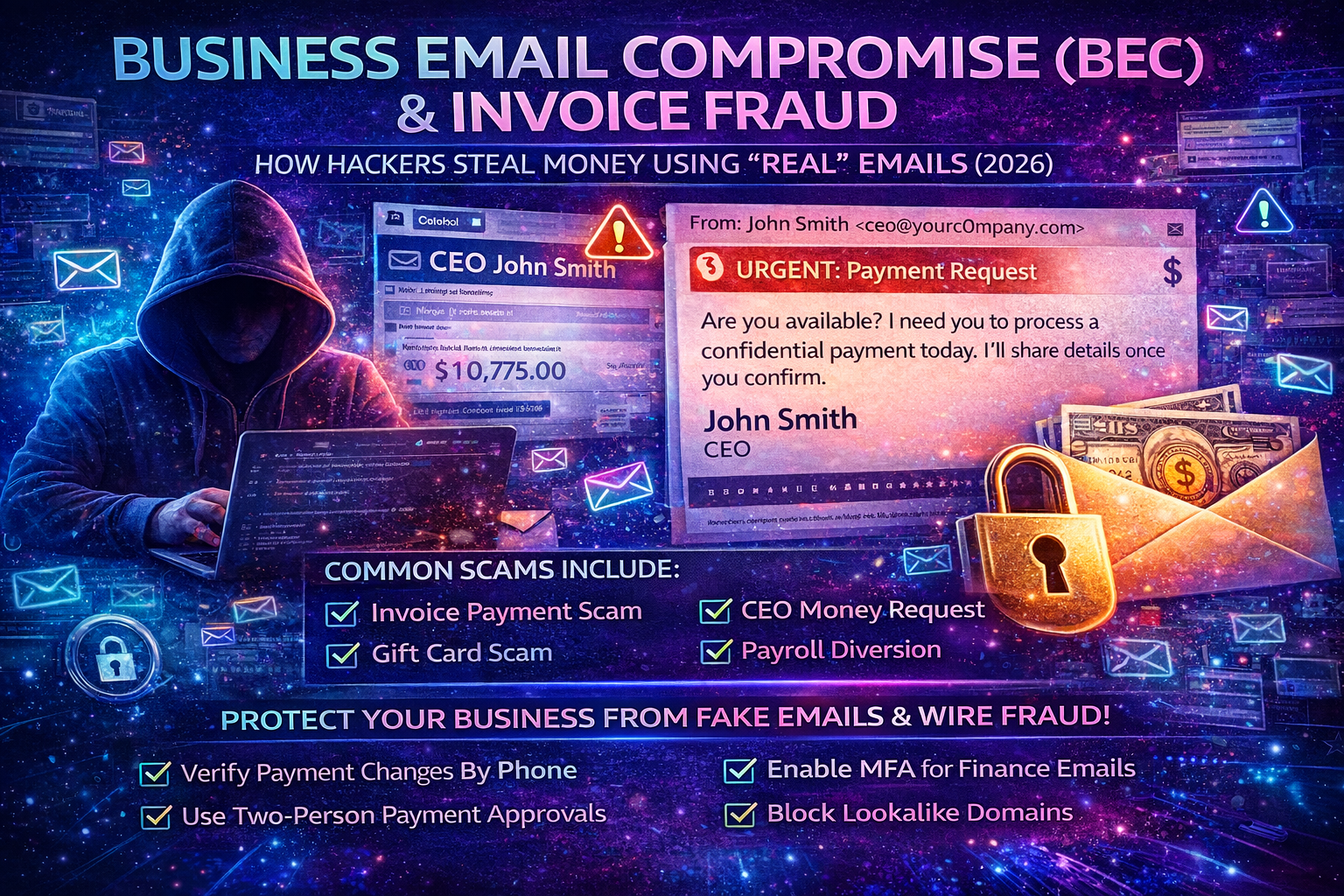
Business Email Compromise (BEC) in 2026: The Complete Guide to Invoice Fraud, CEO Scams, and Stopping “Real-Looking” Email Attacks
Business Email Compromise (BEC) is one of the most profitable cybercrimes because it doesn’t rely on loud malware or complex hacking. It relies on something every company uses every day: trust in email. Attackers impersonate a CEO, finance manager, supplier, or customer and push a payment request that feels urgent, normal, and believable. When it works, money moves fast—and recovering it is often difficult.
If you run a business, agency, ecommerce store, or you work in accounts/payments, this guide will show you exactly how BEC works, why it’s so effective, the most common invoice fraud patterns, and the strongest controls to stop it—especially if your team uses Gmail/Google Workspace or Microsoft 365/Outlook.
What Is Business Email Compromise (BEC)?
Business Email Compromise (BEC) is a social engineering attack where criminals impersonate a trusted business identity (CEO, vendor, accountant, lawyer, client) to trick someone into sending money or sensitive information.
BEC usually targets:
- Finance / Accounts Payable (vendor payments, invoice approvals)
- Executives (CEO/CFO impersonation)
- HR / Payroll (salary diversion)
- Procurement / Operations (supplier payments, shipping release fees)
- Agencies (client invoices, payment routing)
- Ecommerce teams (chargeback disputes, vendor payouts)
BEC attackers typically want:
- A bank transfer / wire
- A change of bank details on an invoice
- Gift cards or prepaid codes
- Payroll redirection (new salary account)
- Confidential files (contracts, IDs, tax documents)
Why BEC Works So Well (Even in 2026)
BEC is not “just phishing.” It’s a business-process attack. It succeeds because it weaponizes urgency, authority, and routine.
1) Email is treated as approval
Many organizations still accept “Approved” or “Please pay” as valid authorization.
2) Payment changes are rarely verified
Attackers know most businesses do not call suppliers to confirm bank changes. They exploit this gap.
3) Attackers research your company first
They use LinkedIn, websites, public PDFs, and old leaks to write emails that match your real operations.
4) Modern BEC looks clean and professional
BEC emails often have perfect grammar, correct invoice language, and realistic payment instructions.
5) The scariest version uses real email threads
If attackers hijack a mailbox, they can reply inside legitimate conversations at the perfect moment—when invoices are due.
How a BEC Attack Happens Step-by-Step
Understanding the attacker’s workflow makes it easier to break the chain.
Step 1: Reconnaissance (they learn how you pay)
Attackers gather:
- Names and roles (CEO, finance staff, procurement)
- Vendor/supplier relationships
- Payment schedules (monthly invoices, milestones)
- Invoice formats (PDF templates, wording, bank fields)
- Email patterns (signature style, greetings)
Sources include:
- LinkedIn staff lists
- Company contact pages
- Past press releases
- Public invoices (sometimes leaked or shared)
- Data breaches and infostealer logs (emails/passwords)
Step 2: Impersonation (they become “someone you trust”)
They impersonate via:
- Lookalike domains (typosquatting):
payrnents-company.cominstead ofpayments-company.com - Display name tricks: “CEO Name” but a different email behind it
- Reply-to manipulation: the “From” looks OK, but replies go elsewhere
- Mailbox takeover: the attacker uses the real email account
Step 3: Pressure + urgency (to block verification)
Typical manipulation lines:
- “I’m in a meeting—do not call me.”
- “This needs to be paid today to avoid penalty.”
- “Please keep this confidential.”
- “We changed banks due to audit—use the new details.”
- “Kindly handle urgently.”
Step 4: Money movement (they redirect payment)
Common targets:
- Bank account update on invoice
- New beneficiary added in online banking
- Gift cards purchased and codes shared
- Payroll direct deposit updated
Step 5: Persistence (they try again, bigger)
If successful, attackers often:
- Increase amounts next time
- Target multiple vendors
- Target payroll too
- Keep access via forwarding rules or app permissions
The Most Common BEC Scams (With Realistic Examples)
1) Invoice Fraud (Supplier Payment Redirect)
What it looks like (example):
“Hi, please find attached our updated invoice. Kindly note our banking details have changed. All future payments should be sent to the updated account.”
Why it works:
Invoices are routine. Finance teams process fast.
What attackers do next:
If you reply, they may send more “supporting documents” to appear legitimate.
How to stop it:
Any bank-detail change must be verified through an out-of-band method (phone call to a known number on record).
2) CEO Fraud / Executive Payment Request
What it looks like (example):
“Are you available? I need you to process a confidential payment today. I’ll share details once you confirm.”
Why it works:
Authority + urgency. People fear saying “no.”
How to stop it:
Require two-person approval + voice verification for executive payment requests.
3) Gift Card Scam (Fast Cash-Out)
What it looks like (example):
“I need you to buy gift cards for clients and send the codes. This is urgent.”
Why it works:
Gift cards are irreversible and easy to resell.
How to stop it:
Ban gift card purchases via email requests. Only allow through an internal documented purchase workflow.
4) Payroll Diversion (HR/Payroll)
What it looks like (example):
“Hi, I changed my bank account. Please update my payroll deposit effective this month.”
Why it works:
HR teams want to be helpful and fast.
How to stop it:
Payroll changes require identity verification (HR portal + OTP + manager confirmation).
5) Vendor “New Bank” + “Urgent Payment” Combo
What it looks like:
“Due to compliance reasons we changed our banking partner. Please pay the overdue invoice today using the new account.”
Why it works:
The message creates urgency and gives a justification.
How to stop it:
No bank updates accepted by email alone—ever.
6) Shipping/Customs Release Fee Scam
What it looks like:
“Your shipment is on hold. Pay the release fee today to avoid return.”
Why it works:
Operations teams fear delays and penalties.
How to stop it:
Verify through official courier portals and known contacts, not email attachments or random links.
7) Thread Hijacking (Most Dangerous)
What it looks like:
The attacker replies inside a real email chain with a “final invoice” that includes changed bank details.
Why it works:
Everything looks legitimate because it’s inside a real conversation.
How to stop it:
Mailbox security + payment verification policy. If either is missing, this attack wins.
BEC Red Flags That Should Trigger “STOP”
BEC emails can look professional, so you need behavior-based red flags.
Payment red flags
- Bank details changed “effective immediately”
- Pressure to pay today / within hours
- Payment request outside normal schedule
- Request to split payment across accounts
- New beneficiary added with no verification
- Vendor asks to pay to a personal account
Communication red flags
- “Don’t call me” / “I can’t take calls”
- “Confidential—don’t inform anyone”
- Tone differs from the real sender
- Replies feel generic or avoid direct questions
- Signature is slightly different than usual
Email and domain red flags
- Domain is close but not exact (extra hyphens, letters, different TLD)
- Reply-to is different from From
- Sender name is correct but email address is off
- The email thread suddenly switches to a new address
If your team follows one rule only, make it this:
Any bank detail change = phone verification to a known number.
The BEC Prevention System That Actually Stops Fraud
Most businesses fail because they rely on “employee awareness” alone. Awareness helps, but process controls stop fraud reliably.
1) Create a Written “Payment Change Verification” Policy
This should be a simple rule everyone understands:
Any vendor bank change must be verified by calling the vendor using a number already on record (not from the email).
What this blocks:
- invoice redirect fraud
- supplier impersonation
- thread hijack bank changes
What to document:
- Who made the call
- What number was used
- Who confirmed
- Timestamp + invoice ID
This one control prevents most invoice-fraud losses.
2) Add Two-Person Approval for Payments
No single person should be able to:
- Change bank details
- Add a new beneficiary
- Approve a high-value payment
- Release urgent transfers
A basic model:
- Initiator (creates payment request)
- Approver (verifies and approves)
For larger organizations, add a third step for CFO approval beyond a threshold.
3) Lock Down Finance and Executive Email Accounts
BEC often starts with a stolen mailbox. Secure the mailboxes that can approve money.
Minimum must-haves:
- Strong unique passwords (no reuse)
- MFA for executives + finance accounts
- Regular session/device review (remove unknown devices)
- Disable or tightly control automatic forwarding
- Review mailbox rules/filters monthly (attackers hide evidence here)
- Remove suspicious connected apps (OAuth permissions)
If attackers can read finance emails, they can time fraud perfectly.
4) Stop Spoofing With SPF, DKIM, and DMARC
These help prevent direct domain spoofing and reduce fake “From yourcompany.com” emails.
Important note:
SPF/DKIM/DMARC do not stop lookalike domains, but they reduce a large portion of simple impersonation.
5) Use Invoice Portals (Not Email Attachments) Where Possible
Email is easy to spoof. Portals are harder.
If you can:
- Send invoices through a vendor portal
- Use authenticated client billing systems
- Store vendor bank details in a trusted system (ERP/accounting tool)
- Avoid putting bank details in emailed PDF attachments
6) Train Your Team With Real Decision Scenarios
Training should not be generic “phishing awareness.” It should focus on:
- bank change requests
- urgent “CEO requests”
- gift card messages
- payments outside normal process
- how to escalate internally
A simple phrase to teach staff:
“I’m happy to do this, but I must verify via our payment policy.”
7) Detect and Block Lookalike Domains
Attackers register close variants of your domain:
yourcornpany.com(rn vs m)yourcompany-payments.comyourcompanyltd.com
If you can monitor for these, you can respond early (legal takedown, email filters, staff warning).
If You Already Sent Money: What To Do Immediately
Speed matters. The earlier you act, the better the chance of recovery.
1) Call your bank’s fraud department right now
Request:
- wire recall / reversal attempt
- beneficiary freeze (if possible)
- escalation for fraudulent transfer
2) Preserve evidence
Save:
- full email headers
- entire email conversation
- attachments and invoice PDFs
- bank account details provided
- timestamps, approvals, who acted
3) Notify the real vendor/executive via known channels
Confirm correct payment details and alert them (they may also be targeted).
4) Assume mailbox compromise until proven otherwise
Immediately:
- reset passwords for targeted accounts
- enable MFA
- revoke sessions everywhere
- remove forwarding rules and mailbox filters
- review connected apps and admin delegations
5) Update your internal process immediately
BEC is usually a process failure. Fix the gap:
- verification rules
- approval workflow
- staff escalation path
BEC Checklist for Businesses (Copy-Paste Ready)
Payment controls
- Two-person approval for all payments above a threshold
- Phone verification for every vendor bank detail change
- Vendor bank details stored in a trusted system (not email)
- No gift card purchases via email requests
Email security
- MFA for executives and finance staff
- Disable or restrict external auto-forwarding
- Monthly mailbox rule + connected app audit
- Secure recovery options (phone/email), remove unknown devices
Domain protection
- SPF + DKIM + DMARC configured
- Monitor lookalike domains and impersonation attempts
Team readiness
- Staff trained on invoice fraud, CEO fraud, payroll diversion
- Clear escalation process: who to call, what to freeze, what to log
Frequently Asked Questions
Is BEC the same as phishing?
BEC is a form of phishing, but it’s usually more targeted and financially focused. Many BEC emails don’t contain malware—just payment manipulation.
Can BEC happen without hacking an email account?
Yes. Attackers can impersonate using lookalike domains and social engineering. But the most dangerous cases involve mailbox takeover or thread hijacking.
What’s the single best defense against invoice fraud?
A strict rule: no bank detail changes accepted via email without phone verification to a known contact number.
About The Author




