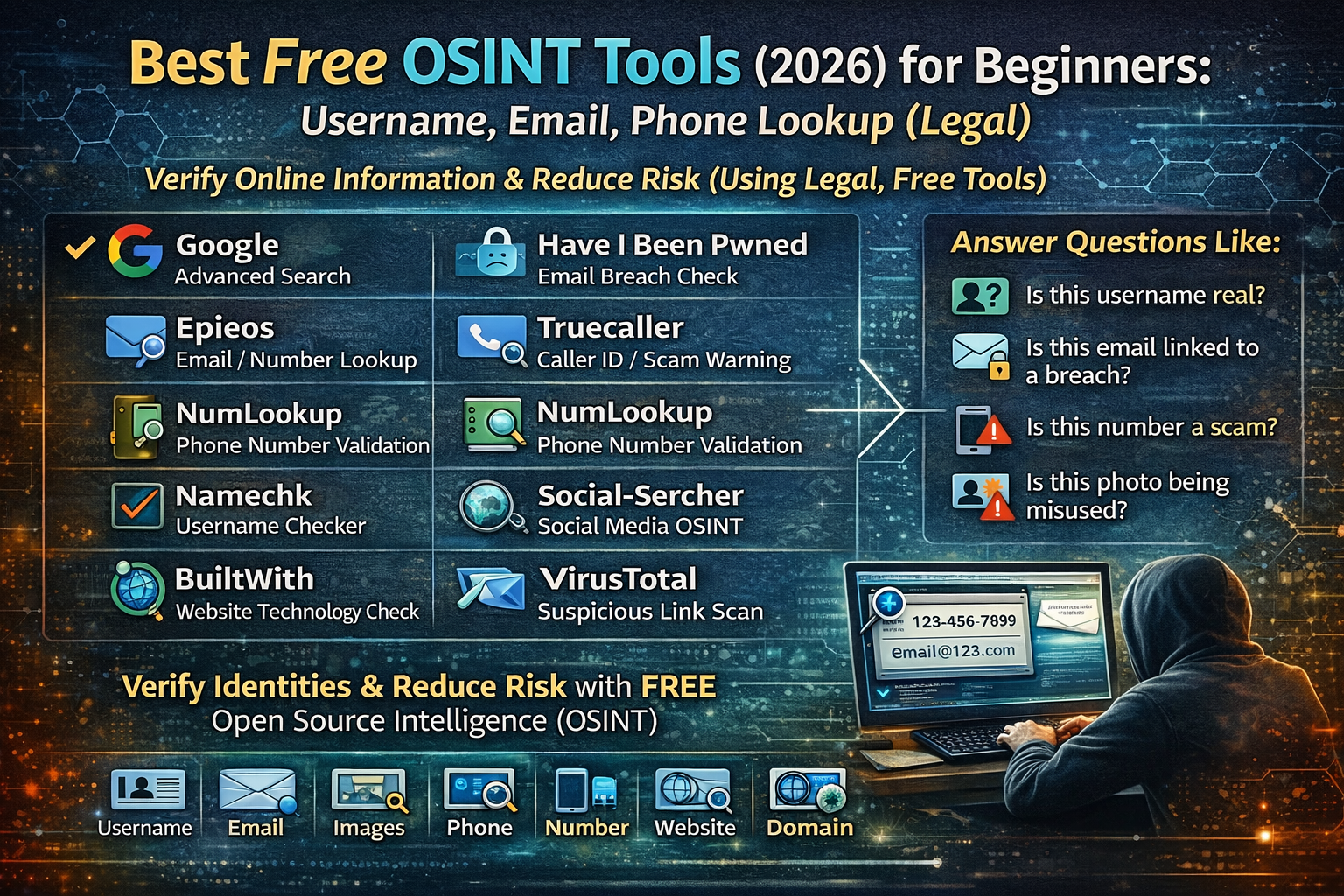
Best Free OSINT Tools 2026 for Beginners: Username, Email, Phone Lookup
People usually search OSINT tools for one reason: they want to verify information and reduce risk before they trust a profile, reply to an email, send money, or click a link. OSINT (Open-Source Intelligence) means collecting information from publicly available sources in a legal way. The best OSINT tools are the ones that help normal people answer practical questions like: “Is this username real?” “Is this email linked to a breach?” “Is this number a scam?” “Is this profile using stolen photos?” “Is this business real?”
This guide focuses on free tools beginners can use safely. It avoids shady “spy apps,” paid databases, and anything that crosses privacy boundaries.
Best Free OSINT Tools
1) Google (Advanced Search) — The most powerful free OSINT tool
Most beginners underestimate Google, but it’s still the strongest OSINT engine when you use it properly. It helps you connect small pieces of information—usernames, domains, phone numbers, images, or company names—without logging into risky websites.
Google becomes OSINT when you search smart. For example, if a person uses the same username on multiple platforms, Google often reveals it. If a business is real, Google usually shows consistent signals across maps, reviews, news, and official pages. If a scam site is new, Google may show warnings, low trust signals, or no history.
Google isn’t about “hacking.” It’s about reducing guesswork with public evidence.
2) Have I Been Pwned — Email breach checks that protect you fast
When someone asks “is this email safe?” they often mean “has this email ever appeared in a breach?” Have I Been Pwned helps you check if an email address is known from public data breaches.
This is extremely useful for common people because it connects directly to real-life problems:
- repeated account takeovers
- password reuse
- suspicious login attempts
- credential stuffing risks
It’s also useful for businesses: if employee emails appear in breaches, security risk goes up because attackers try those credentials everywhere.
3) Epieos (Free Lookup Features) — Quick OSINT clues from email and phone patterns
Epieos is used by beginners because it provides fast “clue-style” lookups. It can help people build context around a number or email, especially when someone is trying to confirm whether the identity seems consistent across public signals.
This is most helpful when you’re not trying to “track someone,” but trying to verify if something looks legitimate. For example, when a person claims to be a recruiter, seller, or support agent, simple OSINT checks can reveal inconsistencies.
4) Truecaller (Basic) — Caller identity context for unknown numbers
For common people, the most common OSINT use case is simple: “who is calling me?” Truecaller is widely used for caller identification and spam context in many regions.
It’s useful because scam calls are often repeated, reused, and reported by many users. Even when the name isn’t “100% verified,” community data often gives a quick warning when a number is associated with spam patterns.
Use it as a signal, not as a final proof. If something looks suspicious, combine it with other checks from this list.
5) NumLookup / Phone Validator Tools — Basic number formatting + carrier sanity checks
Sometimes OSINT is not about finding the owner. It’s about checking whether a number looks real and consistent. Free number validation tools can help confirm:
- whether formatting is correct
- whether the country code matches the story
- whether the number pattern looks normal
This is useful in common scams where someone claims to be “local,” but uses an international number, or uses VoIP patterns that don’t match their claimed identity.
6) Namechk / Namecheckup — Username availability across many platforms
The fastest beginner OSINT method is checking whether a username is used across platforms. Username check tools help you quickly test “is this username present on other sites?”
This helps with common-person scenarios like:
- verifying whether a creator identity is consistent
- spotting impersonation (fake pages using similar names)
- checking whether a profile is newly created with no footprint
If a person claims they are a long-term professional, but the username has no history anywhere, that’s not proof of fraud—but it is a risk signal worth noting.
7) Social-Searcher (Free) — Social search without logging in everywhere
Social search tools help you scan public mentions, posts, and footprint clues without jumping between apps. This can be useful when you want to verify whether a person or business has real public activity over time.
It’s especially helpful for:
- checking whether a “brand” existed before last week
- confirming whether “reviews” are real or copy-pasted
- spotting recycled scam posts that appear across many pages
8) TinEye — Reverse image search for stolen photos
A very common scam pattern is stolen images: fake sellers, fake profiles, fake recruiters, and “too good to be true” identity pages. Reverse image search helps you check whether a profile photo appears elsewhere.
TinEye is useful because it focuses on image matches and can reveal older appearances of the same photo. If an image appears on unrelated sites (stock photos, random profiles, old blog posts), the identity is probably not genuine.
9) Google Images / Lens — Reverse image search that beginners actually use
Google Images and Google Lens often catch what people miss: the same photo cropped differently, a face used in many scam pages, or “model photos” reused by fake accounts.
For common people, reverse image search is one of the highest-value OSINT actions because it’s quick and gives a strong “real vs fake” signal with minimal effort.
10) BuiltWith — Technology profiling for websites
BuiltWith helps you understand what a website is running: CMS, analytics, scripts, libraries, and hosting-related tech signals. For beginners, this is useful in website trust checks.
If a website claims it’s a major company but has a basic setup, brand-new tracking tags, or suspicious tech patterns, that’s not a full proof—but it helps you understand how legitimate the site feels.
This is also useful for security learning because it teaches you what “real websites” are built with and how stacks differ across industries.
11) WHOIS / Domain history tools — Domain age and ownership clues
Many scams depend on brand-new domains. Free domain lookup tools can help you check domain age, registrar patterns, and whether a domain was recently created.
When a site claims to be “official support” or “an established business” but the domain is new, the risk becomes obvious. Domain age alone doesn’t prove fraud, but it’s one of the fastest legitimacy signals for common people.
12) VirusTotal — Check suspicious domains, files, and URLs
VirusTotal is one of the most practical safety tools for OSINT-style verification because it lets you check whether a URL, file hash, or domain is flagged by security engines and community signals.
This is extremely useful for:
- links received in email/WhatsApp
- “invoice” attachments
- strange shortened URLs
- unexpected download pages
It should not be used as the only decision maker, but it helps quickly identify known malicious indicators.
Beginner OSINT Workflows
Scenario 1: Someone messages you with a “business offer”
A normal-person OSINT check often looks like this in real life. You don’t need deep investigation—just enough signals to decide whether to trust.
Start by checking the person’s name + username in Google. Then search the business name + “scam” + “review.” Run reverse image search on their profile photo. If they provided a website, check domain age and look for external footprint: legitimate businesses leave traces on multiple platforms over time. If the identity only exists on one new account and the website is new, risk goes up.
This workflow protects people from fake recruiters, fake brand deals, fake agencies, and fake freelancing clients.
Scenario 2: A buyer/seller seems suspicious
People lose money in online marketplace scams because they trust a profile too quickly. A quick OSINT approach is: check the phone number in caller ID context tools, search the number on Google, and reverse image search the product photos and profile photo.
If the product photos are from another site, or the profile photo is reused widely, you’ve likely found a fraud pattern. If the number is repeatedly reported as spam or used across many “seller profiles,” risk increases.
Scenario 3: You received a suspicious link (bank, courier, job, prize)
This scenario is extremely common. Many scams use a link that looks official and creates urgency.
A safe verification approach is to run the URL/domain in VirusTotal, check domain age, and search the exact domain name in Google with the word “scam.” Then look for official confirmations: real companies have official help pages, official social accounts, and consistent domain ownership. Scam pages often have new domains, copied layouts, and very short histories.
Scenario 4: You want to verify if a website is real before entering your card
Common people can avoid a lot of risk by checking:
- domain age
- consistent presence across maps/reviews/social
- whether the site uses basic trust markers (clear business identity, address consistency, refund policy clarity)
- whether the brand appears in reputable sources
Technology profiling can help you understand if it’s a quick copy-paste shop or a real business with stable infrastructure.
What Makes OSINT “Legal” and Safe
Legal OSINT stays within public sources and does not require bypassing privacy boundaries. The safe mindset is: verify using public evidence, not by invading anyone’s accounts, not by using spyware, and not by attempting access you don’t have permission for.
When OSINT is used like a safety skill, it protects:
- consumers from scams
- businesses from impersonation
- job seekers from fake recruiters
- families from identity fraud
FAQs
What is the best free OSINT tool for beginners?
For most beginners, the best starting combination is Google search plus reverse image search, because it quickly reveals identity reuse, inconsistencies, and public footprint.
Can I do OSINT on a phone number legally?
You can check public reports and context tools, and you can search whether the number is associated with scams. Avoid tools that promise private data access or “live tracking.”
Can OSINT prove someone is a scammer?
OSINT rarely “proves” by itself, but it reveals risk signals and inconsistencies. The goal is to reduce risk before you trust.
About The Author




