Best Free CTF for Beginners (2026)
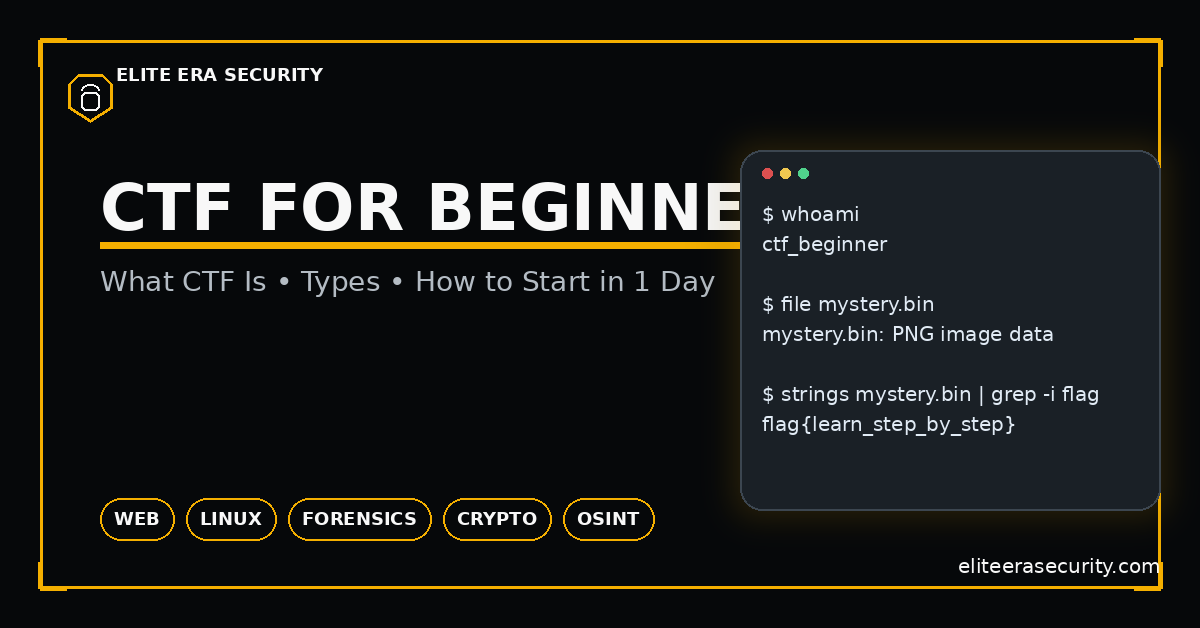
CTF stands for Capture The Flag. In cybersecurity, a “flag” is a hidden piece of text (often formatted like flag{something_here}) that proves you solved a challenge. A CTF challenge is a controlled environment where you’re allowed to test and break things legally. You might be given a file to analyze, a website to test, a server to connect to, or an image containing hidden data. Your goal is to figure out the weakness, extract the secret, and submit the flag.
CTF (Capture The Flag) is one of the most practical ways to learn cybersecurity because it turns “security theory” into real problem-solving. Instead of reading about hacking, you solve small, legal challenges that simulate real security mistakes like weak passwords, insecure web pages, leaked metadata, misconfigured permissions, or insecure encryption. In 2026, CTF has become even more valuable because it teaches the exact skills needed for real jobs: investigation, debugging, scripting, and structured thinking.
Think of CTF like a cybersecurity gym. You don’t go to the gym to “win one lift” you go to build strength over time. Similarly, CTF builds your security skill set through repeated practice.
Why CTF Is So Popular in 2026 (And Why It Works)
CTF is effective because it teaches you how to think. In real attacks and real defense, the biggest skill is not memorizing tools it’s understanding systems and testing assumptions step-by-step. CTF trains you to observe small clues, form a hypothesis, test it, and then verify results.
CTF also forces you to learn common real-world areas:
- Web security (SQL injection, XSS, insecure login logic)
- Linux basics (permissions, searching, file structures)
- Forensics (logs, PCAP traffic, metadata, file carving)
- Crypto basics (encoding, hashing, XOR, weak RSA setups)
- OSINT (finding info from public sources legally)
Even if you never become a “hacker,” these skills help you become a safer person online and a stronger IT/cybersecurity professional.
Types of CTF Challenges
CTFs usually fall into categories. Knowing the category tells you what to try first and prevents random guessing.
1) Web CTF
Web challenges involve websites and web apps. You might look at page source, find hidden endpoints, test parameters, inspect cookies, or bypass weak login logic. Many beginner web flags are found by reading JavaScript files, checking cookies, or finding hidden routes like /admin.
2) Linux / System CTF
These challenges teach you how files, users, and permissions work. You might connect via SSH, explore directories, search for hidden files, or find misconfigured permissions. It builds core “system sense” that every cybersecurity role needs.
3) Crypto CTF
Crypto challenges often confuse beginners, but many are not advanced math. Beginner crypto is usually encoding/decoding, weak hashing, or simple XOR patterns. Once you learn the difference between encoding vs encryption vs hashing, crypto CTF becomes much easier.
4) Forensics CTF
Forensics involves analyzing files: images, documents, memory dumps, disk images, or PCAP network captures. Beginner flags often hide in metadata, strings inside files, or extracted objects from PCAPs.
5) OSINT CTF
OSINT uses public information: usernames, domains, images, posts, and metadata. You follow clues across open sources—while respecting the CTF rules.
How to Start CTF in 1 Day (Step-by-Step)
You don’t need expensive tools or advanced knowledge to start. In one day, you can build a beginner environment and solve your first few challenges.
Step 1: Choose a beginner platform and do 3 easy challenges
Your goal is not to “master everything.” Your goal is to solve a few problems and learn patterns. Beginner platforms offer guided tasks that feel like learning, not confusion.
Step 2: Set up a clean workspace
CTF becomes easier when you keep your notes and tools organized. Create one folder for each challenge and store:
- challenge files
- notes (what you tried, what happened)
- final flag
- screenshots (optional)
This habit makes you faster every week.
Step 3: Learn a mini-core toolkit (free)
Most beginner CTFs can be solved using just:
- a browser (DevTools)
- basic Linux commands
- a text editor
- a few basic utilities (strings, grep, file)
You do not need 100 tools. You need 10 tools and a clear workflow.
Step 4: Follow a repeatable solving method
When you see a challenge, do this:
- Identify the type (web/forensics/crypto/etc.)
- Run the simplest checks first (file type, strings, source code, headers)
- Change one thing at a time and observe behavior
- If stuck, read the hint or check similar writeups after you try
That method is the difference between learning and copying.
Beginner Mistakes That Waste Time (Avoid These)
Most CTF frustration is avoidable. These mistakes are common:
- Jumping to payloads without recon (especially in web)
- Not checking file type and trusting file extensions
- Ignoring cookies, headers, and JavaScript files
- Not taking notes, so you repeat the same tests
- Copying writeups too early, so you don’t build intuition
- Using too many tools, instead of following a clear process
If you avoid just these mistakes, your speed will improve quickly.
A Simple 7-Day Beginner CTF Plan
If you want fast growth without burnout, do this:
- Day 1: Learn CTF basics + solve 2 easy web challenges
- Day 2: Linux navigation + search (find/grep/strings)
- Day 3: Forensics basics (file type, metadata, strings)
- Day 4: Crypto basics (base64/hex/hash/XOR)
- Day 5: OSINT basics (username + image + domain workflow)
- Day 6: Solve 3 mixed challenges and write your own mini writeup
- Day 7: Review mistakes + rebuild your personal cheat sheet
This plan builds breadth first, then depth.
Checklist: CTF for Beginners (2026)
- Learn what a “flag” is and how categories work
- Start with beginner challenges (web + linux + forensics)
- Use a clean notes folder for every challenge
- Always do simple checks first: file type, strings, source, headers
- Don’t spam payloads—observe behavior and test one change at a time
- Use writeups after you try (learn patterns, don’t copy blindly)
- Practice daily (20–40 minutes is enough to grow fast)
FAQs:
Is CTF legal?
Yes, when you play on official CTF platforms or practice labs and follow the rules. Never use CTF techniques on real systems you don’t own or have permission to test.
Do I need Kali Linux to start CTF?
No. Many beginner CTFs can be solved using a normal Linux system and browser tools. Kali can help later, but workflow matters more than the distro.
What is the best CTF category for beginners?
Web and Linux are usually easiest to start because they teach fundamental skills like inspection, searching, and input testing.
How long does it take to get good at CTF?
If you practice 20–40 minutes daily, you’ll notice improvement in 2–3 weeks. “Good” comes from pattern recognition, not talent.
Are CTF writeups cheating?
Writeups are learning resources. The best method is: try first, then read a writeup to understand what you missed, then solve a similar challenge yourself.
About The Author




