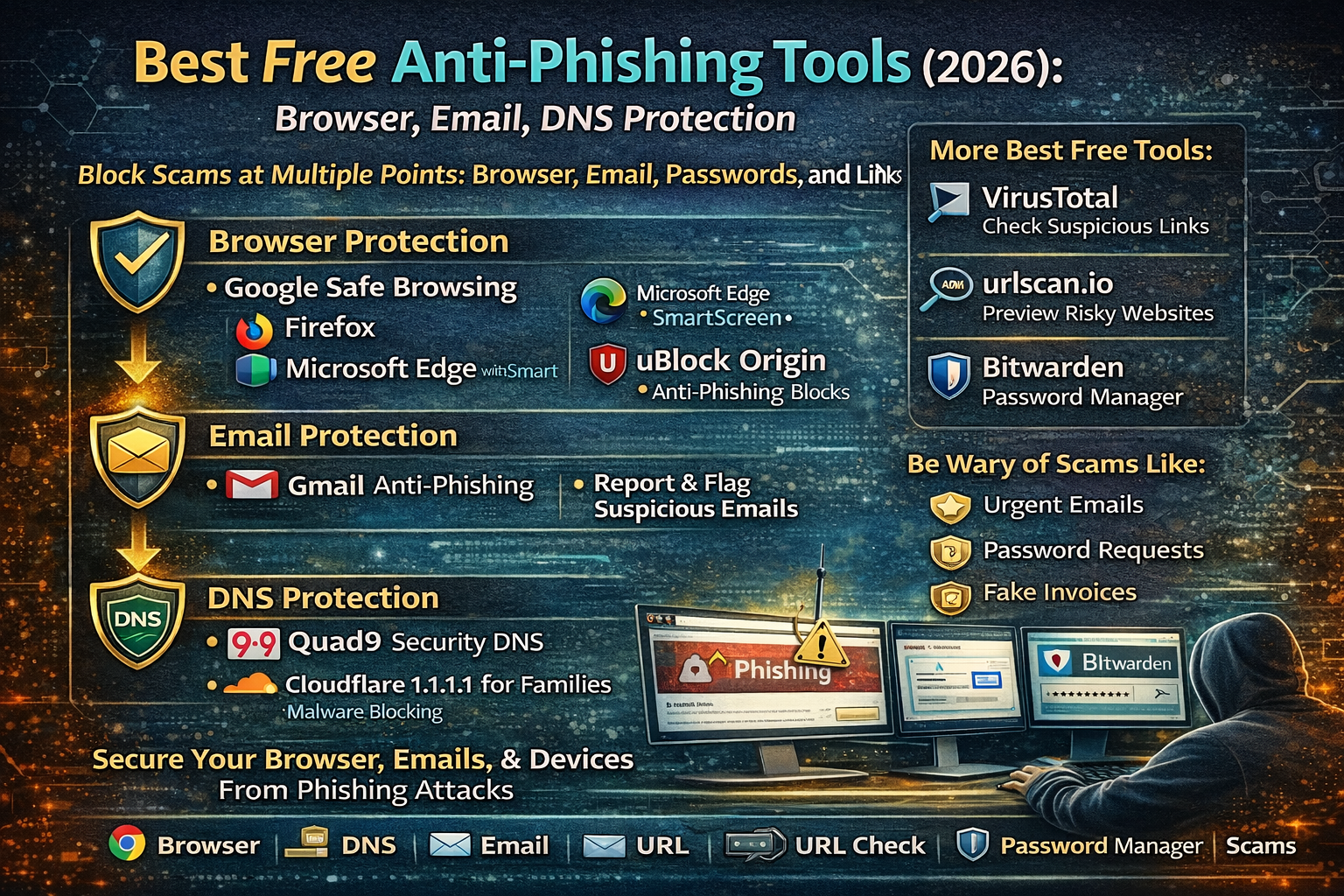
Best Free Anti-Phishing Tools in 2026: Browser, Email, and DNS Protection
Phishing is successful because it targets normal people doing normal things: logging into email, paying bills, checking deliveries, applying for jobs, downloading invoices, or responding to “urgent” support messages. Most victims don’t fall for phishing because they are careless they fall for it because the fake page or message looks real, arrives at the perfect moment, and creates pressure to act fast.
The fastest way to reduce phishing risk is to build three layers of protection that catch scams at different stages:
- Browser protection (blocks dangerous sites and downloads)
- Email protection (flags suspicious messages, attachments, and links)
- DNS protection (stops your device from reaching known malicious domains)
Below are the best free tools in 2026 for each layer, plus a practical setup order that works for everyday users.
Best Free Browser Anti-Phishing Tools (2026)
1) Google Safe Browsing (Built into Chrome)
If you use Google Chrome, you already have phishing warnings built in. Chrome’s Safe Browsing warns against phishing, malicious sites, and risky downloads, and you can choose protection levels depending on how strong you want the warnings to be.
For common people, this matters because many phishing attempts happen when someone clicks a link and lands on a fake login page. Safe Browsing warnings help stop that moment before credentials are typed.
2) Mozilla Firefox built-in phishing & malware protection
Mozilla Firefox includes built-in phishing and malware protection that warns about deceptive sites and dangerous downloads.
This is useful for users who prefer Firefox but still want a strong baseline without installing extra tools. The biggest value is the warning layer that appears before the scam page fully succeeds.
3) Microsoft Edge and Microsoft Defender SmartScreen
Edge uses SmartScreen to block phishing and malware sites and provide safety warnings when a site is flagged as unsafe.
For many users, Edge becomes especially protective on Windows devices because it can combine browser warnings with system-level security features. On modern Windows, Microsoft also documents Enhanced Phishing Protection behavior as an added layer in certain environments.
4) uBlock Origin and anti-phishing blocklists
Many phishing pages rely on aggressive scripts, redirects, and malicious domains that can be blocked through high-quality filter lists. A widely used approach is running an ad/content blocker like uBlock Origin with reputable malware/phishing blocklists. There are maintained phishing URL blocklists designed for tools like uBlock Origin and DNS blockers.
This layer is valuable because it often blocks the scam infrastructure especially when phishing pages are hosted on known bad domains or reused templates.
5) Gmail phishing protections (built-in)
Most phishing starts in email. Gmail publicly describes protections that block the vast majority of spam, phishing attempts, and malware—and also warns about dangerous links in messages.
For common people, the best part is that this protection doesn’t require installing anything. The warnings appear directly where the risk happens: inside the email.
6) Reporting and warning systems (still free, still powerful)
When users report phishing messages, it helps improve detection across the ecosystem. Gmail support guidance emphasizes paying attention to warnings, avoiding risky links/attachments, and reporting suspicious emails.
This isn’t “extra work for nothing”—reporting helps reduce future exposure for you and others because many phishing campaigns target thousands of inboxes using the same templates.
Best Free DNS Anti-Phishing Tools in 2026
DNS protection is one of the most underrated defenses because it works before a site loads. If a domain is known malicious, the DNS layer can block your device from reaching it at all.
7) Quad9 (free security-focused DNS)
Quad9 is a free public DNS service that blocks known malicious domains (including phishing and malware) using threat intelligence sources, focusing specifically on security-related blocking.
This is especially useful for families, small offices, and home users who want protection across all devices (phones, laptops, smart TVs) without installing apps on each device.
8) Cloudflare 1.1.1.1 for Families (malware blocking options)
Cloudflare documents “1.1.1.1 for Families” options, including resolvers that block malicious content (malware/phishing categories). Their setup documentation lists specific resolver addresses for blocking malicious content.
This is a common-person friendly option because it’s simple: once DNS is set, many known-bad destinations are blocked automatically.
Best Free “Click-Check” Tools (When You’re Not Sure About a Link)
Sometimes the smartest move is not to click at all—but people still want to verify: “Is this link safe?” These tools let you check a URL in a controlled way.
9) VirusTotal (URL + file reputation check)
VirusTotal analyzes items using many scanners and blocklisting services and provides reputation/context for URLs and files.
This is especially helpful for suspicious “invoice” links, unknown shortened URLs, and attachments you weren’t expecting.
10) urlscan.io (safe website preview and behavior record)
urlscan.io describes itself as a free service that visits a URL in an automated way and records what that page does—such as contacted domains, resources loaded, and activity triggered by the page.
This is powerful for phishing because many scam pages silently load scripts from multiple domains, redirect through trackers, or behave differently depending on region/device. A recorded scan gives you visibility without trusting the page in your own browser.
Best Free Credential Protection Tool (Stops Many “Fake Login” Scams)
11) Bitwarden (strict autofill rules reduce phishing success)
A large portion of phishing depends on getting you to type your password into a fake site. A password manager reduces this risk because it typically won’t autofill unless the site matches what you saved. Bitwarden explains URI match detection behavior and how matching can be made more strict.
For common people, the real-world benefit is simple: if the page is fake, autofill usually doesn’t trigger—and that “nothing happened” moment becomes your warning signal.
The Best Free Anti-Phishing Stack (Simple Setup Order)
A clean anti-phishing setup for everyday users looks like this:
First: Browser protection (Chrome Safe Browsing / Firefox protection / Edge SmartScreen)
Second: DNS protection (Quad9 or Cloudflare Families)
Third: Password manager autofill safety (Bitwarden URI matching)
Fourth: Link checking habit (VirusTotal + urlscan.io for suspicious links)
Fifth: Email reporting and warning awareness (Gmail warnings/reporting)
When these layers are combined, phishing has to “get lucky” multiple times—through DNS, browser warnings, email filters, and password manager behavior—before it can steal anything.
About The Author




