AiTM Phishing in 2026: How Attackers Bypass MFA, Steal Session Cookies, and Take Over Your Accounts
Most people believe MFA (multi-factor authentication) is the final shield against phishing. In 2026, that’s no longer always true.
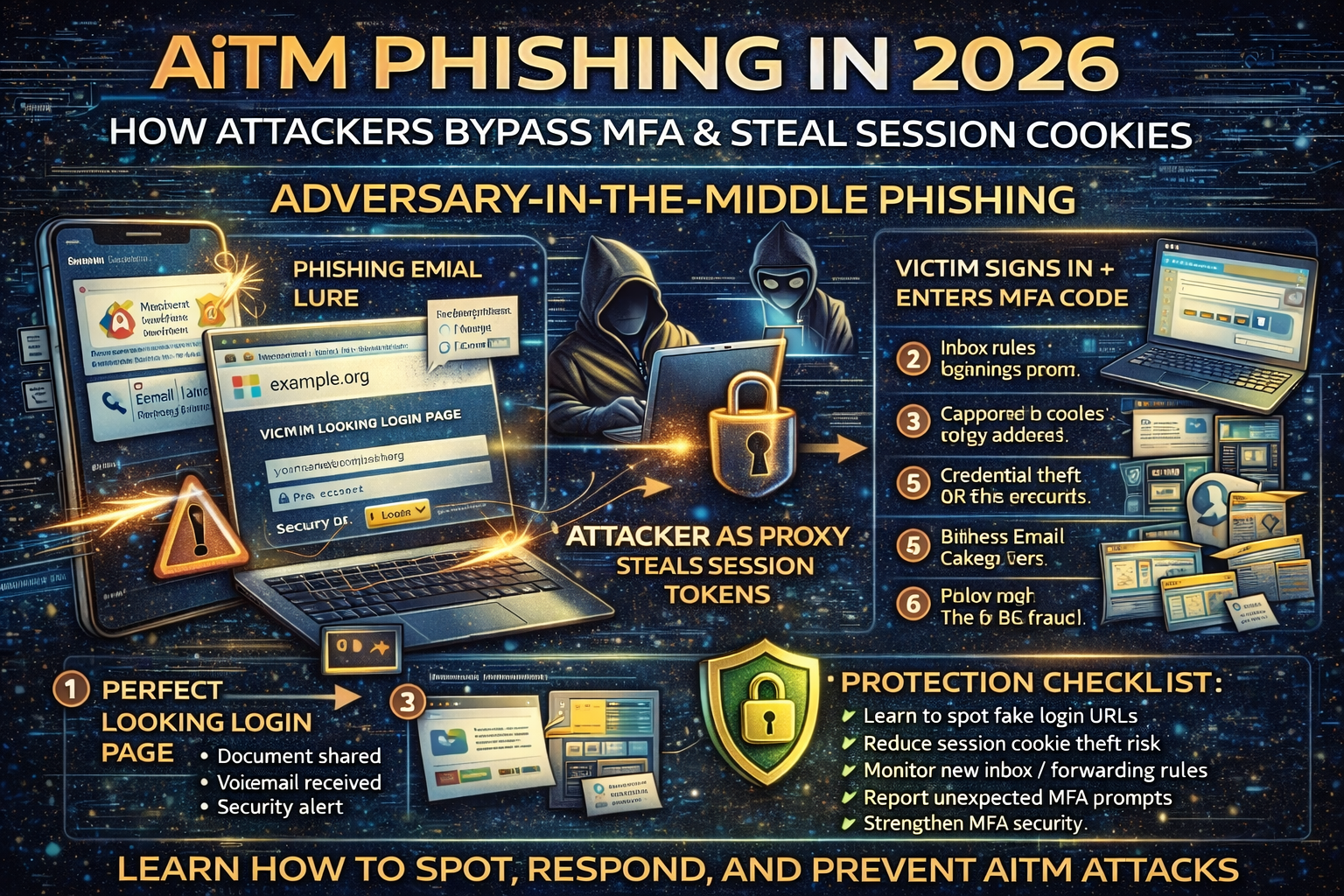
A growing wave of attacks called AiTM phishing (Adversary-in-the-Middle phishing) is designed specifically to bypass MFA by sitting between you and the real login page. Instead of only stealing your password, the attacker’s infrastructure can also steal what matters most after MFA: your authenticated session token/cookie the “proof” that you already logged in. Once the attacker has that token, they may not need your MFA code again.
Microsoft recently described a multi-stage AiTM phishing + Business Email Compromise (BEC) campaign abusing SharePoint file-sharing, compromising accounts, and using inbox rules for persistence and evasion.
Multiple research groups have also reported that reverse-proxy “phishing kits” are commonly used to intercept credentials and authentication cookies in real time.
This article breaks AiTM down in a clear, practical way: how it works, what it looks like, and exactly how to protect yourself and your business.
What Is AiTM Phishing?
AiTM phishing is a phishing method where the attacker places a malicious “middle” layer between you and the real website. You think you’re signing in normally, but the attacker’s system relays your login to the real service and captures sensitive data along the way—often including:
- username + password
- MFA codes (in real time)
- session cookies / authentication tokens (the real prize)
Unlike old phishing that only stole passwords, AiTM phishing can steal the thing that proves you already passed MFA.
Why AiTM Phishing Is Trending in 2026
AiTM attacks are rising because:
- Phishing kits are getting industrial (Phishing-as-a-Service). Tooling makes MFA bypass easier for low-skill criminals.
- Cloud logins are everything (Microsoft 365, Google Workspace, SSO portals). One stolen session can unlock email, files, chat, and admin tools.
- Attackers want business inboxes (BEC). Email access enables invoice fraud, vendor redirection, and “CEO fraud.” Microsoft’s January 21, 2026 report ties AiTM phishing directly to BEC activity and inbox-rule persistence.
How AiTM Phishing Works (Simple but Accurate)
Step 1: The lure arrives
Common lures include:
- “Document shared with you”
- “Voicemail received”
- “Password expires today”
- “Unusual sign-in detected”
- “HR policy update / payroll notice”
These emails often impersonate trusted brands or internal IT.
Step 2: You land on a “perfect” login page
It looks identical to Microsoft/Google/SSO because the attacker proxies the real flow. The design can be extremely convincing.
Step 3: You sign in and complete MFA
You enter:
- email + password
- MFA code/approval (if prompted)
Step 4: The attacker captures session tokens
Because the attacker is acting as a middle relay, they can capture authentication cookies/tokens. Those tokens may let them open your session as if they were you.
Step 5: Account takeover and persistence
Once inside, attackers typically:
- create inbox rules to hide alerts or redirect conversations
- add forwarding rules / change recovery options
- pivot to SharePoint/OneDrive files
- perform BEC-style fraud (invoice change requests, payment diversion)
What AiTM Phishing Looks Like in the Real World
Microsoft described an AiTM + BEC campaign that abused SharePoint file-sharing to deliver phishing payloads and used inbox rules after compromise.
This is why AiTM is so dangerous: it blends into normal work behavior:
- clicking file shares
- signing into Microsoft 365
- approving MFA
- reading email threads
The Biggest AiTM Red Flags (Fast Checks That Stop Most Takeovers)
URL and domain warnings
- the domain is slightly off (extra words, hyphens, strange subdomain)
- login pages hosted on random cloud domains unrelated to your org
- the “document share” page is not on the expected domain
Login behavior warnings
- you get MFA prompts you didn’t initiate
- you log in successfully but are repeatedly asked to log in again
- you see “session expired” loops or strange redirects
Email warnings
- urgent pressure (“verify in 30 minutes”)
- unexpected share links
- weird sender display names that don’t match the actual address
If you want a deeper foundation on fake login page tricks, please must read this phishing guide:
What To Do If You Suspect AiTM Phishing (Immediate Action Checklist)
If you entered credentials or approved MFA on a suspicious page, act fast:
- Change your password immediately (from a clean device)
- Log out of all sessions (Microsoft/Google security settings)
- Reset MFA (regenerate authenticator tokens if needed)
- Check recent sign-ins and remove unknown devices
- Check inbox rules and forwarding (attackers often hide their activity)
- Check recovery email/phone and remove anything unfamiliar
- Alert your organization / IT (minutes matter in BEC scenarios)
How to Protect Yourself From AiTM Phishing (2026 Best Practices)
1) Use phishing-resistant authentication where possible
AiTM phishing works because it can intercept credentials and tokens during the login flow. Stronger phishing-resistant methods (like hardware keys / passkey-style approaches depending on platform) reduce this risk compared to basic push/OTP in many scenarios.
2) Tighten email security and brand impersonation defenses
AiTM campaigns commonly arrive through email impersonation. Security researchers have documented how attackers exploit routing complexity and misconfigurations to spoof domains and deliver convincing phishing.
3) Teach “MFA fatigue” and “unexpected prompt” rules
A simple rule that prevents many breaches:
- If you didn’t start a login, deny the prompt and report it.
4) Monitor for the real takeover signals
Defenders should monitor:
- new inbox rules / mail forwarding creation
- risky sign-ins from new geographies/devices
- OAuth app consent anomalies
- mass mailbox searches and data downloads
5) Reduce session theft impact
Because AiTM often targets session cookies/tokens, controls like conditional access, device compliance checks, and risk-based sign-in policies can reduce the attacker’s ability to replay a stolen session in many environments (especially enterprise cloud setups).
Why AiTM Often Turns Into BEC (And How to Break the Chain)
AiTM is frequently a first stage to reach the inbox. Once an attacker has email access, they can:
- watch invoice conversations
- change bank details
- impersonate executives
- create stealthy rules to hide replies
Microsoft explicitly tied a January 2026 AiTM operation to BEC behavior and inbox-rule abuse.
FAQ: AiTM Phishing and MFA Bypass
Can AiTM phishing bypass MFA?
In many cases, yes because the attacker can capture session tokens/cookies after you complete MFA, allowing them to replay your authenticated session.
Is MFA still worth using?
Yes. MFA still blocks many account takeovers. The key is upgrading to stronger, phishing-resistant options and layering defenses (email filtering, conditional access, monitoring).
What’s the difference between AiTM and normal phishing?
Normal phishing steals passwords. AiTM phishing can steal passwords + MFA in real time + session tokens through a reverse-proxy “middle” design
About The Author




