Device Code Phishing (2026): The New Microsoft/Google Login Scam
Most people know the classic phishing scam: a fake login page that steals your email and password. Device code phishing is different—and that’s why it works. In this scam, attackers push you to sign in on a real sign-in page using a code they provide. You might even see a real Microsoft device login page involved, which makes the whole thing feel safe.
Microsoft has publicly documented real campaigns using this technique (including threat activity tracking), explaining that attackers abuse the device code authentication flow to capture tokens and access accounts.
What “device code login” is
Device code login (often called device code flow) exists for situations where a device can’t easily open a full browser login—think smart TVs, streaming devices, conference room screens, printers, kiosks, or command-line tools. Instead of typing your full password on that device, the device shows a short code and tells you to enter it on a sign-in page from your phone or computer.
This is a normal feature. The problem is: criminals can also generate a device code and trick you into entering it—giving them access.
How device code phishing works
Here’s the scam in the exact order it usually happens:
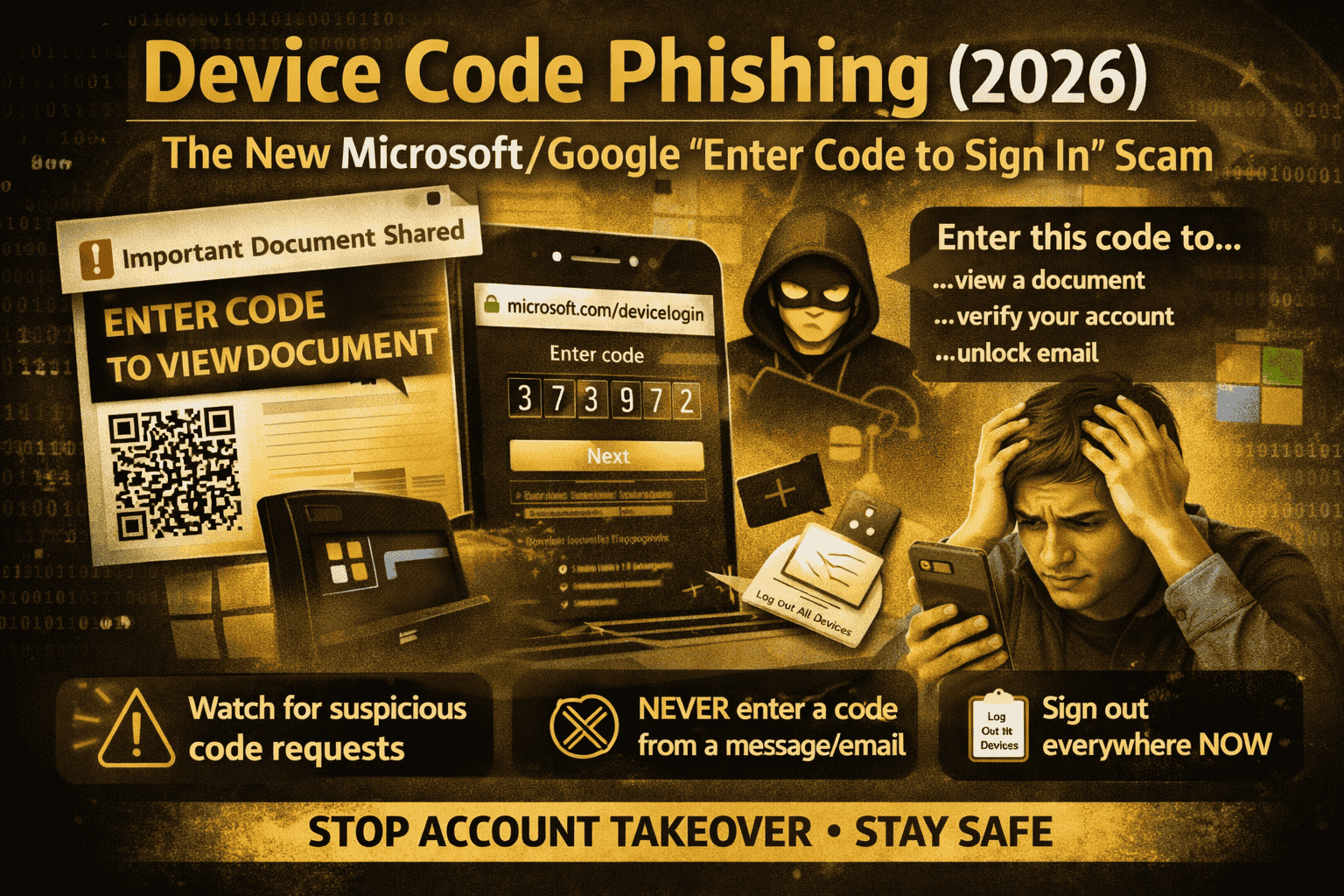
First, you receive an email or message that looks urgent or official. Common examples are “shared document,” “missed voicemail,” “invoice,” “HR file,” “account locked,” or “security warning.” Proofpoint reported campaigns where links and even QR codes are used to push victims into the flow.
Next, the message takes you to a page that tells you something like: “To view this file, verify your account. Go to the device login page and enter this code.” This is where people get trapped—because entering a code feels like “verification,” not a login.
Then, you go to the device login page and enter the code. The login page can be real, and you may even complete MFA normally. But what you’re actually doing is authorizing a session the attacker started. Microsoft explains that attackers can use the resulting tokens to access the compromised account.
Finally, the attacker uses that authorization to access email and cloud apps (often Microsoft 365). This can lead to inbox access, data theft, and follow-on scams from your account.
Why this scam is so effective in 2026
Device code phishing succeeds because it doesn’t always rely on a fake login page. Many people have learned “check the URL” and “avoid fake pages.” But here, the attacker is abusing a trusted login method.
Microsoft explicitly calls device code flow a high-risk authentication method and notes it can be part of phishing attacks.
The biggest warning sign
If anyone sends you a code and tells you to enter it to “verify,” “unlock,” “view,” “secure,” or “confirm,” treat that as a red alert.
A legitimate device code login is something you start because your device (TV, app, CLI, etc.) shows you a code. In the scam, the code comes from the attacker.
Common device code phishing messages you might see
Attackers change the wording, but the pattern is the same:
- “A document is waiting. Enter this code to access it.”
- “Microsoft security needs verification. Enter this code now.”
- “Your email will be disabled. Confirm with this device code.”
- “Teams/SharePoint file shared with you—sign in with code.”
- QR code versions: “Scan to continue” and then you’re guided to enter a code (or to a fake instruction page).
How to stay safe (free, practical habits)
The safest rule is simple: Never enter a device code unless you personally initiated a login on a device you can see. If you didn’t start it, don’t “help” the process.
Also, slow down at the moment that matters: if a page tells you to enter a device code, ask yourself: Which device asked me for this code? Where is it? What app am I trying to log into right now? If you can’t answer in one sentence, stop.
Finally, avoid logging in through links inside suspicious emails. If the message claims it’s Microsoft/Google/WhatsApp/Instagram, open the app or type the site yourself instead of clicking. CISA’s phishing guidance repeatedly stresses recognizing suspicious messages and reporting them rather than engaging.
If you entered a device code already, do this immediately
If you suspect you typed a device code from a message (or you suddenly got logged out, saw new sessions, or notice weird mailbox activity), treat it like account compromise.
Start by changing your password and signing out of other sessions/devices. Then review your account’s recent sign-in activity and remove anything unfamiliar.
If your account is Microsoft 365 / Outlook / work email, also check for odd inbox rules or forwarding—attackers commonly add rules to hide their traces and keep copies of messages.
Microsoft’s write-ups emphasize that the goal is token/session access, so removing sessions and reviewing sign-in activity matters.
Extra protection
If you manage an organization, Microsoft provides controls for device code flow through Conditional Access and describes device code flow as a high-risk authentication method that should be controlled.
This won’t apply to every personal account setup, but for workplaces it’s a key mitigation: restrict or block device code flow where it’s not needed, and educate users that codes should only come from devices they are actively using.
FAQs
Is device code phishing “a Microsoft bug”?
No. Microsoft notes this technique abuses an industry-standard token flow and is not unique to Microsoft products; it’s an abuse of a legitimate authentication workflow.
Why did MFA not save me?
Because you can still complete MFA on a real login page while unknowingly authorizing the attacker’s session. The scam is designed to make you approve the attacker’s login flow through a code you didn’t generate yourself.
What’s the fastest way to spot it?
If the code arrives from a message (email/SMS/DM) instead of from a device you’re holding or looking at, it’s almost certainly a scam.
Device code phishing is dangerous because it uses a login method that looks normal and sometimes uses legitimate sign-in pages. The defense is also simple: only enter device codes that appear on a device you are actively trying to sign into, and treat “enter this code to view/verify/unlock” messages as phishing.
About The Author




