Best Free Instagram & Facebook Account Recovery Checklist 2026
In 2026, Instagram and Facebook account takeovers are extremely common because attackers can profit fast by running scams through your DMs, posting fake giveaways, pushing shady ads, or selling access to your account. Most victims don’t lose accounts through “advanced hacking.” They lose them through phishing links, password reuse, malicious extensions, SIM swap/SMS OTP theft, or compromised email accounts that allow password resets.
Instagram/Facebook recovery becomes easier when you understand what changed. Many users panic and keep trying random password resets, which sometimes makes things worse if the attacker controls the email or phone number. Identify your situation first:
- You can’t log in and your password doesn’t work
- Your email/phone was changed
- Your username was changed
- Your account is posting scams or sending DMs
- Your account got disabled after suspicious activity
- You still can log in, but you see unknown devices/sessions
Each case has a slightly different best move, but the general recovery order stays the same: secure email → regain access → remove attacker sessions → lock down recovery methods.
Step 1: Secure Your Email First (Because Meta Resets Go Through Email)
If the attacker has your email, you can recover Instagram/Facebook and still lose it again within minutes. Email is the master key. Before you do anything else:
- Change your email password immediately
- Enable strong 2FA (passkeys or authenticator app)
- Check email forwarding rules/filters (attackers hide security emails)
- Sign out of all email sessions/devices
This prevents the attacker from intercepting recovery links and locking you out again.
Step 2: Try the Official Instagram Recovery Flow (Fastest Route)
Instagram has built-in recovery options that work best when used quickly. Use “Forgot password” first, and then if your email/phone was changed, use the “Need more help?” path. If you still have access to the original email or phone, recovery is much easier.
If you’re locked out and the attacker changed details, follow Instagram’s in-app recovery prompts to confirm identity. For many users, Instagram offers verification methods (like video selfie) depending on region and account history.
Important: Avoid random “recovery services” on the internet. Many are scams.
Step 3: Use Facebook Account Recovery (If Facebook Is Linked)
If your Instagram is linked to Facebook (Meta Accounts Center), you may be able to recover via Facebook. Facebook recovery also gives additional checkpoints if suspicious activity is detected. Use the official “Forgotten password” and “secure my account” prompts.
If you regain access to Facebook first, it can help you regain Instagram access through Accounts Center.
Step 4: Remove Attacker Sessions and Unknown Devices (Stop Silent Access)
Changing passwords is not always enough because attackers may have active sessions or connected devices. Once you regain access:
- Log out of all devices
- Remove unknown devices/sessions
- Revoke access for suspicious connected apps
This closes the “I changed my password but they are still inside” problem.
Step 5: Change Password to a Strong Unique One (No Reuse)
Password reuse is one of the biggest reasons people get rehacked. If your IG/FB password was used anywhere else and that site got breached, attackers will try the same password on Meta.
Use a unique password only for Instagram/Facebook. If possible, store it in a password manager.
Step 6: Replace SMS 2FA With Authenticator (If Possible)
SMS-based OTP is better than no 2FA, but it’s weaker against SIM swap and phone-number attacks. If you can, use authenticator 2FA. If passkeys are available, use them.
For many users, this step is the difference between “recovered once” and “kept secure forever.”
Step 7: Lock Down Accounts Center and Recovery Options
Meta Accounts Center controls linked accounts and login methods. Attackers may add their email/phone or set up a path to regain access later.
After recovery, check:
- Emails/phones listed
- Two-factor settings
- Linked accounts
- Trusted devices
Remove anything you don’t recognize.
Step 8: Check for Damage: Ads, Pages, and Payments (Especially for Business Accounts)
Business users face extra risk: attackers can run ads, connect payment methods, or hijack pages.
Do a quick audit:
- Ad accounts and running campaigns
- Payment methods and billing
- Connected pages and admins
- Business Manager roles
- Instagram Shopping settings (if used)
If you see unauthorized ad spend, report it immediately through Meta’s official support channels.
Step 9: Clean Your Browser and Device (Common Hidden Source)
Many Meta hacks happen due to browser compromise: malicious extensions, phishing pages, and session theft. If you don’t clean the source, attackers can steal your new password again.
Free cleanup steps:
- Remove suspicious browser extensions
- Block notification spam and redirects
- Scan device with built-in security tools
- Update browser and OS
This reduces the chance of repeated compromise.
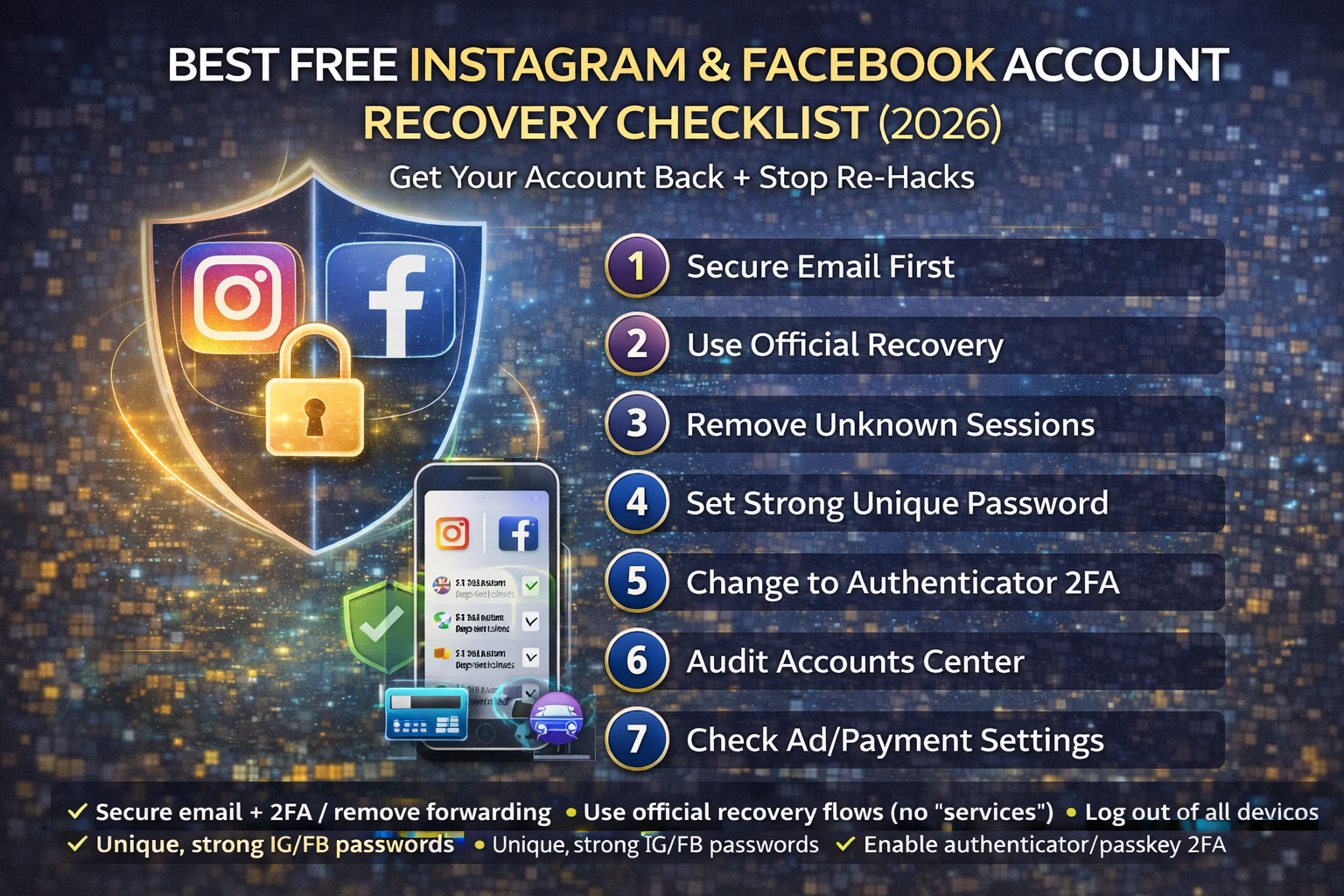
Checklist: Instagram & Facebook Account Recovery (2026)
- Secure your email first (password + 2FA + remove forwarding + sign out everywhere)
- Use official Instagram/Facebook recovery flows (avoid paid “recovery” scams)
- After regaining access: log out of all devices and remove unknown sessions
- Change IG/FB passwords to unique strong passwords
- Enable authenticator/passkey 2FA (avoid SMS if possible)
- Review Accounts Center: emails/phones, linked accounts, trusted devices
- Audit ad accounts/payment methods/pages (business accounts)
- Clean browser/extensions and scan device to stop re-hacks
FAQs:
How do Instagram accounts get hacked most often?
Phishing links, password reuse, compromised email, malicious browser extensions, and SIM swap/SMS OTP theft are common causes.
I changed my password but they’re still logged in—why?
They may still have an active session or connected device. You must log out of all devices and remove unknown sessions.
Is paying a “recovery expert” safe?
Most are scams. Use official Instagram/Facebook recovery tools. If you need help, use Meta’s official support channels.
Should I enable SMS 2FA?
SMS is better than nothing, but authenticator or passkeys are stronger and safer against SIM swap attacks.
What if my account is disabled after being hacked?
Follow the official appeal/recovery process. If the hack caused policy violations (spam posts), explain the takeover in the appeal and secure your account first.
About The Author




