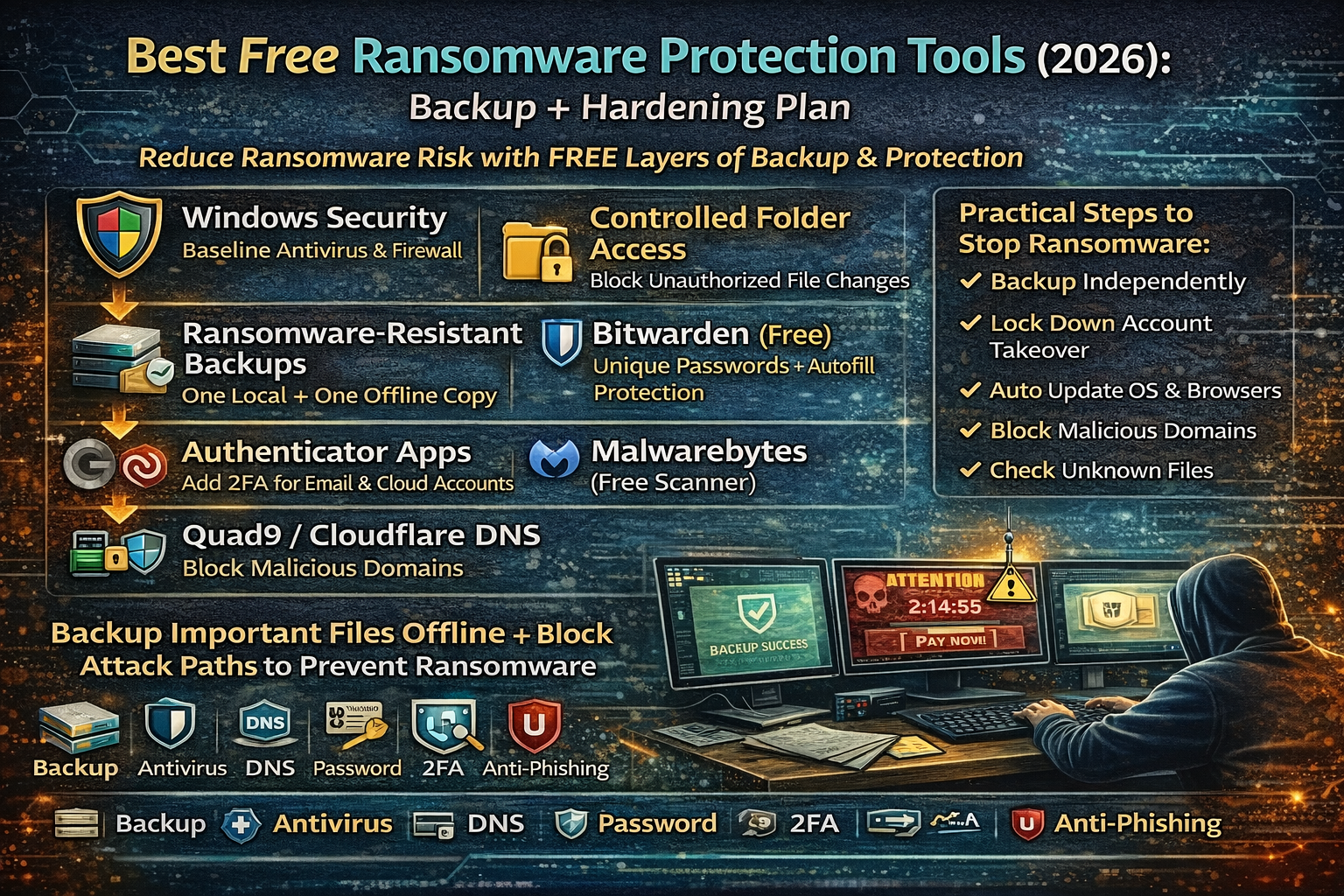
Best Free Ransomware Protection Tools in 2026:
Ransomware usually doesn’t “magically happen.” In most cases, it enters through one of the same few doors: a phishing email, a weak password reused on multiple accounts, a remote access service left exposed, a browser download that looks harmless, or an outdated system that wasn’t patched. Once it lands, it encrypts files, deletes recovery options, and pushes the victim into panic with a timer and a payment demand.
For common people and small businesses, the smartest protection is not one tool—it’s a simple system that does two things extremely well: (1) make recovery easy and (2) reduce the chance ransomware can run in the first place. That means backups you can trust, plus a few free hardening tools that block common attack paths.
This guide covers the best free ransomware protection tools in 2026 and a practical protection plan you can actually follow.
Best Free Ransomware Protection Tools (2026)
1) Windows Security (Microsoft Defender) — Strong baseline protection
For most Windows users, Microsoft Defender is the first line of defense because it runs by default and continuously improves. It provides real-time antivirus protection and includes multiple protections that reduce common ransomware paths. In many setups, it can detect and stop known ransomware behavior patterns, suspicious processes, and malicious downloads.
For normal people, the value is simple: you don’t need to install anything to get a solid baseline. A large percentage of ransomware gets blocked at this layer when it is known, common, or behaves like typical ransomware.
2) Controlled Folder Access (Windows) — Blocks unauthorized file encryption
One of the most practical ransomware defenses for common people is preventing unknown apps from modifying protected folders. Windows includes a feature called Controlled Folder Access (part of Microsoft Defender / ransomware protection settings) that can help stop untrusted apps from making changes to protected folders.
This matters because ransomware’s main goal is to encrypt your documents, photos, and work files. When file modification is restricted, ransomware often fails at its core mission. The result is not “perfect security,” but a much higher chance that the attack gets interrupted before damage spreads.
3) Ransomware-resistant backups (The real “tool” that saves you)
Backups are the difference between a bad day and a disaster. When backups are done correctly, ransomware loses its leverage. The best free backup approach focuses on one rule: keep at least one backup copy that ransomware can’t easily reach.
A strong common-person approach is:
- One local backup (fast restore)
- One offline or “not always connected” backup (hard for ransomware to destroy)
Backups should be treated as a tool because they’re the only protection that guarantees recovery even if everything else fails.
4) Bitwarden (Free) — Stops password reuse from becoming full compromise
Many ransomware incidents begin with stolen credentials—especially reused passwords from older breaches. Attackers try those logins on email, cloud, remote access tools, and admin panels. A password manager prevents the “same password everywhere” mistake and makes strong unique passwords easy.
Bitwarden is widely used and has a free plan that’s enough for most people. The practical impact is huge: unique passwords stop many account-based ransomware entry points, especially when combined with 2FA.
5) Authenticator apps (Free) — Adds a second lock on your accounts
Account takeover is a major ransomware entry route. If an attacker can enter your email, they can reset many other accounts. If they can enter your cloud storage, they can wipe backups or encrypt shared files.
Free authenticator apps (TOTP-based) reduce this risk by requiring a second factor. For most people, enabling 2FA on email, cloud storage, and admin logins is one of the highest-value ransomware defenses.
6) Malwarebytes (Free Scanner) — Second-opinion cleanup layer
Many users like having a second-opinion scanner for situations where a device feels suspicious. Malwarebytes is commonly used as an on-demand scanner, especially after suspicious downloads or adware infection.
While “free” versions of tools vary in real-time features, even a free on-demand scanner can help people clean common malware that often acts as a precursor to ransomware (like trojans and downloaders).
7) DNS blocking (Quad9 / Cloudflare Families) — Stops known malicious domains
A lot of ransomware and malware relies on contacting malicious domains for payload delivery, command-and-control, or redirects. A security-focused DNS service can block many known malicious destinations before your device ever reaches them.
This is especially valuable for common people because it protects multiple devices at once, and it reduces risk from accidental clicks and background downloads.
8) uBlock Origin + reputable malware/phishing lists — Blocks malicious scripts and redirects
Many ransomware chains begin with malvertising, fake updates, or drive-by download behavior. A content blocker with reputable malware/phishing lists reduces exposure by blocking common malicious scripts, redirect networks, and dangerous ad delivery paths.
It doesn’t replace antivirus, but it removes a major “first contact” route that infects users through browsers.
The Best Free Ransomware Protection Plan (Backup + Hardening)
Step 1 — Make recovery possible (Backup structure that works)
A reliable backup plan is not “one copy.” It’s a routine where at least one copy stays protected from ransomware.
A common-person structure that works:
- Keep your important work in one main folder (so backup is easy)
- Keep one backup on external storage (not connected all the time)
- Keep one cloud backup if possible (but treat cloud as “convenience,” not the only backup)
The reason ransomware wins is often simple: it encrypts everything—including backups that were always connected.
Step 2 — Lock down the biggest entry doors
Most ransomware entry doors are predictable:
- Weak passwords
- No 2FA
- Clicking unknown links/attachments
- Outdated systems/software
- Exposed remote access tools
A strong beginner hardening routine is:
- Use a password manager for unique passwords
- Enable 2FA on email and cloud accounts
- Keep system and browser updates on
- Use browser anti-phishing and DNS blocking
- Avoid “cracked software” and unknown downloads (common infection path)
Step 3 — Reduce file damage potential on Windows
If you’re on Windows, ransomware protection improves dramatically when protected folders can’t be modified by random programs. Controlled Folder Access is one of those features that many people never enable, yet it provides real resistance against file encryption attempts.
This layer is important because even if a malicious file runs, it may fail to encrypt protected folders.
Step 4 — Add a second-opinion scanning habit
Even with good defenses, suspicious files happen. A “second-opinion” scan habit helps catch adware, trojans, and downloaders that often appear before ransomware.
A practical routine is:
- Scan after installing unknown software
- Scan after clicking suspicious attachments
- Scan when the device becomes unusually slow, pop-up heavy, or weird in browser behavior
Step 5 — Prepare your “ransomware day” checklist (Recovery without panic)
The biggest difference between victims who recover and victims who lose everything is what they do in the first hour. A calm recovery mindset includes:
- disconnecting affected devices from Wi-Fi / network
- not paying immediately out of panic
- checking backups and restoration options
- confirming what got encrypted and what didn’t
The most important goal is to stop spread and preserve recovery options.
Best Free Ransomware Protection for Small Businesses
Small businesses often get hit because their setups are simple and busy:
- shared files are everywhere
- passwords are reused
- “admin” logins are shared
- backups exist but are always connected
A stronger baseline for small businesses is:
- separate admin accounts (no sharing)
- 2FA on email and cloud
- strict password manager usage
- backups that include an offline copy
- DNS blocking on the router level (protect all devices)
Even a small upgrade in these areas massively reduces ransomware impact.
FAQs
What is the best free ransomware protection tool?
For most people, the strongest free protection is a combination: built-in Windows security protections plus a backup plan that ransomware can’t destroy. Tools help, but recovery is what defeats ransomware.
Do free tools really protect against ransomware?
Free tools can significantly reduce risk, especially DNS blocking, safe browsing protections, password managers, and built-in OS security. The real “guaranteed protection” comes from having at least one backup copy that ransomware can’t reach.
Why do people still get hit even with antivirus?
Because ransomware often enters through account takeover, phishing, or exposed services. Antivirus helps, but it can’t fix reused passwords or missing 2FA. That’s why the plan must include hardening and backup.
About The Author




