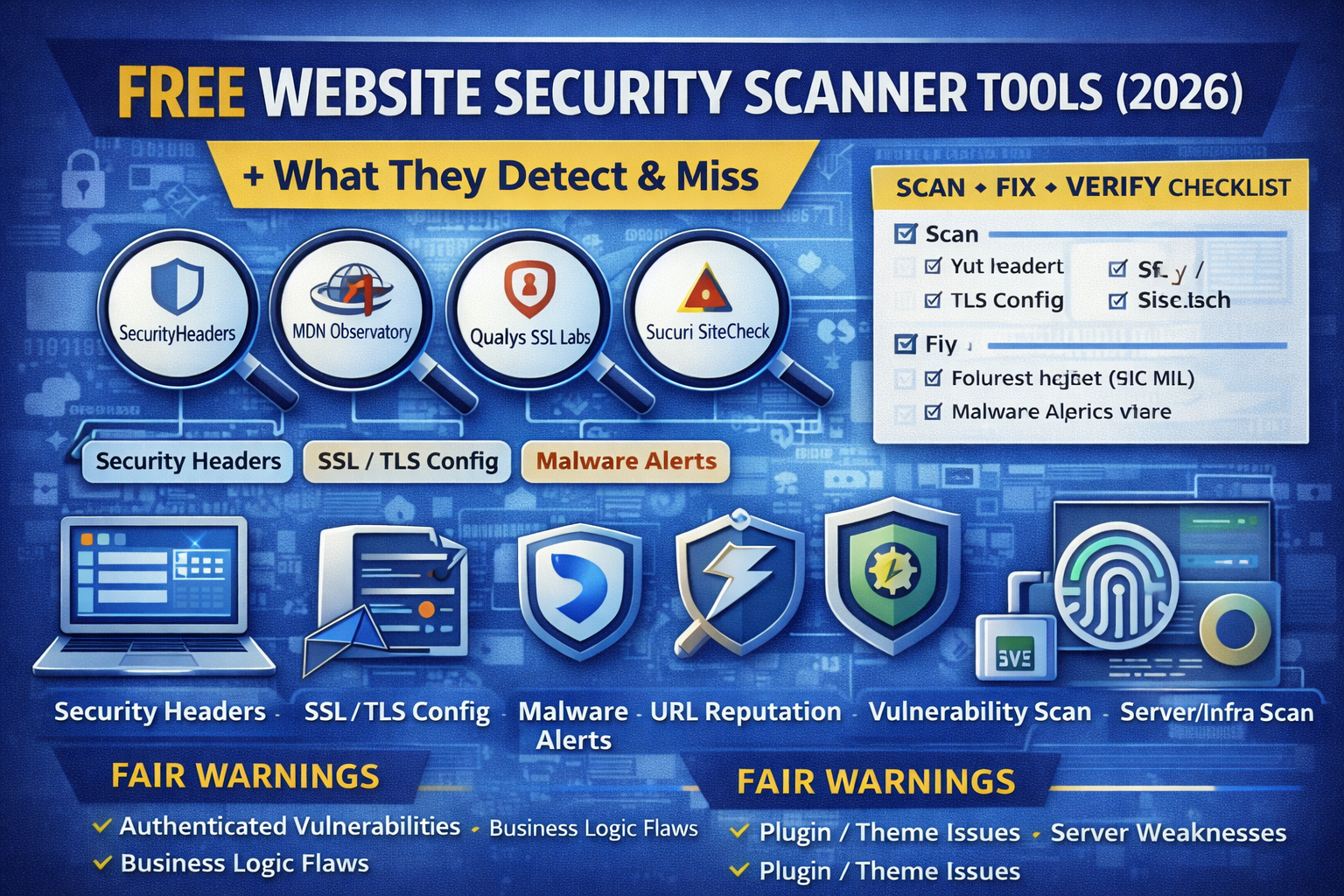
Most people think “website security scanning” means one button that finds everything. In reality, free scanners are powerful but each one sees only a slice of the truth.
A header scanner can’t see your database. A malware scanner can’t verify your login-only pages. A TLS checker can’t find SQL injection. And a web sandbox can’t tell you if your WordPress plugins are outdated.
This article gives you a practical 2026 scanner stack (all free to start) and shows:
- What each scanner detects
- What it completely misses
- The safest workflow to scan without breaking your site
- A “scan → fix → verify” checklist that matches how real security teams work
Before we start: what “free website scanner” can (and can’t) do
Free scanners usually perform remote testing meaning they analyze what’s visible from the outside, like a visitor or crawler would.
That’s great for:
- security headers
- TLS/HTTPS configuration
- malware flags visible in source/output
- reputation signals (phishing/malicious domains)
- basic exposure checks (open directories, common misconfigs)
But they often can’t fully test:
- authenticated areas (admin/dashboard)
- business logic flaws
- server-side vulnerabilities without permission and deeper testing
- plugin/theme version risk without access
So the goal is not “one tool.” The goal is a stack.
The 5 scanner categories you need in 2026
Think of scanning like layers:
- Headers & browser protections (CSP, HSTS, etc.)
- TLS/HTTPS configuration (cert chain, protocols, ciphers)
- Malware & blacklist signals (defacements, injected scripts)
- URL sandboxing & reputation (phishing/malicious behaviors)
- Vulnerability scanning (DAST-style crawling/probing) — use carefully and only with permission
1) Security header scanners (fast wins, high impact)
Best: SecurityHeaders.com
What it detects: presence/absence of key headers like HSTS, CSP, X-Frame-Options, X-Content-Type-Options, Referrer-Policy, Permissions-Policy, and grades your site.
What it misses: anything beyond the homepage/redirected URL, app logic flaws, and whether headers are consistent across all routes.
Use it for: quick baseline checks and “before/after” verification when you harden headers.
Best for deeper header analysis: MDN HTTP Observatory
What it detects: a broader assessment of security-relevant HTTP headers and related configurations, with actionable feedback.
What it misses: same limits as other remote scanners—no authenticated app testing, no code issues.
Pro tip: Use Observatory + SecurityHeaders together. If both look good, your browser-facing baseline is solid.
What header scanners usually miss?
Even when you get an “A” grade, you can still be vulnerable to:
- IDOR / broken access control
- SQL injection / XSS in authenticated pages
- weak session handling
- plugin vulnerabilities
- exposed backups/config files
So treat header scanners as necessary but not sufficient.
For security header best practices, OWASP’s cheat sheet is a great reference.
2) SSL/TLS scanners (HTTPS you can trust)
Best: Qualys SSL Labs SSL Server Test
What it detects: deep TLS configuration analysis (protocols, ciphers, cert chain, known weaknesses) for public HTTPS endpoints.
What it misses: web app vulnerabilities (SQLi, auth flaws), malware, content issues.
Use it for: fixing certificate chain issues, disabling weak protocols, validating strong HTTPS posture.
3) Malware & blacklist scanners (quick “is my site hacked?” checks)
Best: Sucuri SiteCheck
What it detects: indicators of malware visible remotely, blacklist warnings, suspicious injections, anomalies with a clear disclaimer that remote scans have limited access.
What it misses: malware hidden behind authentication, server-side backdoors, database injections that don’t render publicly, and anything not visible from a remote fetch.
Use it for: quick triage when you suspect compromise, plus basic hygiene checks.
4) URL sandbox and reputation scanners (phishing & malicious behavior analysis)
Best: urlscan.io
What it detects: it visits a URL like a real browser and records activity—domains/IPs contacted, loaded resources (JS/CSS), and page behavior; useful for analyzing suspicious sites and tracking third-party calls.
What it misses: private/internal pages, deep authenticated flows, and highly targeted content that changes for different visitors.
Important privacy note: urlscan offers different scan visibility levels (public/unlisted/private). Choose carefully before scanning client URLs.
Best for multi-engine reputation: VirusTotal
What it detects: URL scanning and reputation signals; submissions can be shared with the security community depending on the service terms.
What it misses: same as other remote tools—can’t validate your internal app logic, doesn’t replace a real vulnerability assessment.
Use it for: suspicious links, possible phishing pages, reputation checks for outbound indicators found in logs.
5) Vulnerability scanners (DAST-style) — powerful, but use safely
Best open-source web scanner: OWASP ZAP
What it detects: passive + active web app scanning, crawling, and common vulnerability patterns; it’s free and open-source.
What it misses: deep business logic issues, some auth-only vulnerabilities without proper login handling, and it can generate false positives.
Safe rule: only scan websites you own or have explicit permission to test.
Best network vulnerability scanner (broader than “website”): OpenVAS
What it detects: authenticated and unauthenticated vulnerability testing across many protocols, with continuously updated tests from a feed.
What it misses: application logic flaws and subtle web issues that require manual testing.
Use it for: infrastructure and exposure risks (server/services), not just web pages.
The truth: what free scanners detect vs what they miss
What free scanners detect well (high confidence)
- Missing security headers and weak header configs
- Weak HTTPS/TLS configuration and certificate issues
- Some visible malware signatures + blacklist warnings
- Suspicious URL behavior and third-party calls (sandbox view)
- Common exposure patterns and low-hanging misconfigurations
What they often miss (the stuff that causes real breaches)
- Authenticated vulnerabilities (admin/dashboard only)
- Broken access control (IDOR), privilege escalation
- Business logic bugs (checkout/payment, coupon abuse, account takeover paths)
- Database-layer issues not reflected publicly
- Supply chain risks (plugin/theme vulnerabilities) unless you use specialized tools
- False negatives when a site behaves differently by geo/user-agent/cookie
The best free scanner stack (2026) you can use today
Phase 1: “Fast public posture” (5–10 minutes)
- SecurityHeaders.com → baseline header grade
- MDN Observatory → deeper header recommendations
- SSL Labs test → TLS posture
Phase 2: “Is it hacked?” (5 minutes)
- Sucuri SiteCheck → malware/blacklist signal
Phase 3: “Suspicious URL analysis” (when needed)
- urlscan.io → behavior + requests map
- VirusTotal → reputation cross-check
Phase 4: “Deeper testing” (only with permission)
- OWASP ZAP → controlled scan of allowed scope
- OpenVAS → server/service exposure scan (optional)
A simple “scan → fix → verify” checklist
Scan
- Run headers (SecurityHeaders + Observatory)
- Run TLS test (SSL Labs)
- Run malware check (Sucuri SiteCheck)
Fix (highest ROI)
- Enable HSTS correctly
- Add/strengthen CSP (carefully test in report-only first)
- Add clickjacking protection (X-Frame-Options / frame-ancestors)
- Fix certificate chain / protocols / ciphers
- Remove suspicious injections; rotate credentials if compromise suspected
Verify
- Re-run the same tools and save “before vs after” results
- Confirm headers apply across key pages, not only homepage
- Confirm HTTPS redirect + HSTS are consistent
FAQ
Are free website security scanners accurate?
They’re accurate for what they can see remotely (headers, TLS, public malware indicators), but they don’t replace authenticated testing or code review.
What’s the best free tool for website security headers?
SecurityHeaders.com is the fastest grading tool, and MDN Observatory gives deeper guidance.
What’s the best free tool to check SSL/TLS?
Qualys SSL Labs is a widely used free service for deep TLS configuration analysis.
Can a scanner tell me if my WordPress site is safe?
Not fully. Remote scanners can’t reliably audit all plugins/themes or admin-only attack paths. You still need updates, least privilege, backups, and (when possible) authenticated security review.
About The Author




