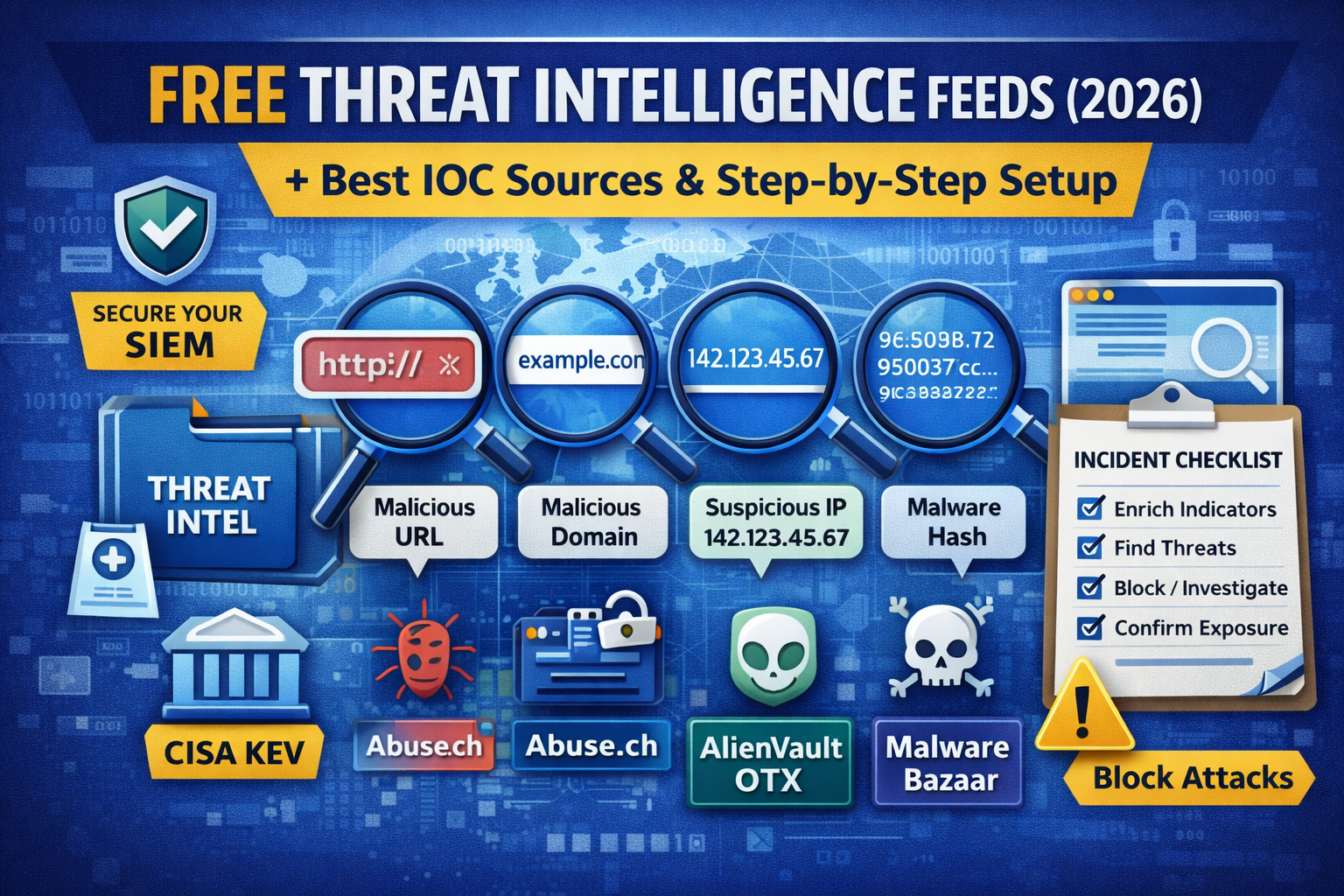
Free Threat Intelligence Sources (2026): Best Feeds, Alerts & How to Use Them (Step-by-Step)
Free threat intelligence is one of the easiest ways to level up your security without paying for expensive platforms. In 2026, attackers move fast phishing kits, MFA-bypass pages, malware droppers, and ransomware infrastructure can appear and disappear within hours. That’s why defenders rely on threat intel feeds: lists of suspicious IP addresses, domains, URLs, hashes, and indicators of compromise (IOCs) that can be used for detection, blocking, and investigations.
This guide is designed for:
- beginners building a home lab,
- small businesses with limited budgets,
- and ethical hackers/blue team learners who want real-world intelligence.
You’ll learn:
- The best free threat intel sources (feeds + alerts)
- What each source is best for (phishing vs malware vs ransomware)
- A practical way to use feeds safely (without breaking your systems)
- A clean workflow to turn intel into action: monitor → detect → block → investigate
What is threat intelligence (in simple words)?
Threat intelligence is information about real-world threats who is attacking, what tools they use, and the indicators they leave behind. The most common output is an IOC such as:
- malicious domain (example:
login-secure-example[.]com) - phishing URL
- suspicious IP
- file hash (SHA256/MD5)
- email sender patterns, subject lures, attachments, etc.
Threat intel becomes useful only when you connect it to:
- your logs (DNS, web proxy, firewall, endpoint),
- your detections (SIEM rules, IDS/IPS),
- and your response actions (block, isolate, reset credentials).
Threat intel types you’ll see (and what to use them for)
1) Tactical intel (IOCs)
- Fastest to use
- Great for: blocking phishing domains, suspicious IPs, known malware hashes
- Limitation: IOCs expire quickly; attackers rotate infrastructure
2) Operational intel (campaign patterns)
- Great for: understanding a phishing campaign, why it’s targeting you, what TTPs it uses
- Helps you write better detections beyond simple blocklists
3) Strategic intel (trends, threat landscape)
- Great for: awareness, leadership decisions, budgeting, training priorities
- Less useful for immediate blocking
Best free threat intelligence feeds & sources (2026)
Below are widely-used sources that are free and practical. Some provide raw feeds, others provide alerts/reports that you can turn into IOCs.
A) Government / official advisories (high trust)
1) CISA Known Exploited Vulnerabilities (KEV)
Best for: patch prioritization (what attackers are actively exploiting)
Use case: if KEV lists a vulnerability affecting your software, patch it urgently.
Why it matters: this is one of the most actionable lists for real-world exploitation.
2) CERT/CSIRT advisories (your region + global)
Best for: high-signal alerts, incident guidance, campaign context
Use case: quickly understand new ransomware or phishing trends.
Pro tip: Government advisories are not “IOC feeds” every time, but they’re often the highest quality intel for prioritizing fixes.
B) Malware & phishing blocklists (fast tactical value)
3) Phishing URL / domain feeds
Best for: blocking phishing links at DNS/proxy level
Use case: protect users from clicking credential-harvesting pages (especially those targeting Microsoft/Google logins).
What to do with them:
- feed into DNS filtering (home lab)
- feed into web proxy/secure web gateway
- use in SIEM to alert when a user visited a phishing domain
4) Malicious IP reputation feeds
Best for: alerting on suspicious inbound/outbound connections
Use case: identify command-and-control traffic or scanning sources.
Warning: don’t auto-block huge IP lists blindly (false positives happen).
C) Community-driven intel platforms (excellent for investigations)
5) Abuse.ch (community threat intel)
Best for: malware infrastructure, botnet C2, URL/host indicators
Use case: quick IOC checks during incident response (is this domain/IP known bad?).
6) MalwareBazaar (sample intelligence)
Best for: malware hashes/samples and associated metadata
Use case: verify if a suspicious file hash matches known malware families.
7) AlienVault OTX (Open Threat Exchange)
Best for: IOC “pulses” (collections), community context, enrichment
Use case: take an IOC (domain/IP/hash) and quickly see related indicators and campaign notes.
D) Vendor blogs + security research (great for trends + enrichment)
8) Security vendor threat blogs / research pages
Best for: emerging phishing kits, ransomware playbooks, MFA bypass methods
Use case: learn new TTPs and convert them into detections (example: new login lure patterns, redirect chains, cookie theft patterns).
How to use responsibly
- Don’t copy huge IOC lists blindly
- Use them as enrichment: “what should we look for in our logs?”
The “right way” to use free feeds
A common mistake: people download a large blocklist and block everything at the firewall. That can break legitimate services and cause headaches.
Use this safe priority order:
- Monitor-only (alert)
- Start by logging matches, not blocking.
- Block only high-confidence intel
- Phishing URLs from trusted sources
- Known ransomware C2 IOCs from reliable feeds
- Block at the easiest layer first
- Browser/proxy/DNS filtering is safer than firewall blanket blocks.
- Add exceptions + review weekly
- False positives are normal; mature teams manage them.
Step-by-step: turn free threat intel into real protection
Step 1: Decide what you want to protect against
Pick one first:
- Phishing & BEC
- Malware downloads
- Ransomware & C2 traffic
- Exposed systems & exploitation attempts
Step 2: Choose 3–5 sources (don’t overload)
For most small teams, this is enough:
- 1 official advisory source (KEV/CERT)
- 1 phishing URL source
- 1 malware/C2 source
- 1 enrichment source (OTX / Abuse.ch style)
- optional: vendor research alerts
Too many feeds = too much noise.
Step 3: Normalize your IOC format
I recommend using a simple spreadsheet (or JSON) with columns:
indicator_type(domain / url / ip / hash)indicator_valuesourceconfidence(high/medium/low)first_seenlast_seennotes
This makes your intel usable across tools.
Step 4: Use in detection (SIEM) first, then blocking
Detection examples (safe starting points):
- Alert if a user resolves a known phishing domain (DNS logs)
- Alert if any device connects to known C2 IPs (firewall logs)
- Alert if an endpoint executes a file hash that matches known malware (EDR logs)
Blocking examples (after validation):
- Block phishing domains at DNS filtering
- Block known malicious URLs at proxy
- Block high-confidence C2 at firewall
Home lab setup (free stack) to practice threat intel
If you’re learning blue team and want a realistic environment:
Minimal tools
- A DNS resolver you control (or DNS filtering)
- A log collector (even basic syslog)
- A SIEM-like dashboard (can be open-source)
- A browser with safe testing profile
Lab goals
- Import a small IOC list
- Simulate “visiting” a known test domain (use safe, non-malicious test IOCs)
- Confirm your logs show:
- DNS query
- web request
- SIEM alert
“First 60 minutes” incident workflow using threat intel
When something suspicious happens (phishing click, malware alert, unknown outbound traffic), do:
1) Identify the indicator
- domain / URL / IP / hash from logs or an email
2) Enrich it (quick checks)
- Is it known malicious?
- Is it new or old?
- Are there related indicators?
3) Scope it internally
- Which users clicked it?
- Which endpoints contacted it?
- Any suspicious downloads?
4) Respond
- Block at DNS/proxy
- Reset credentials if phishing occurred
- Isolate endpoints if malware likely executed
5) Prevent recurrence
- Update email security controls
- Add detections for the TTP (not just the one IOC)
What free threat intel feeds can’t do
Free feeds are powerful, but they are not magic.
They often miss:
- brand-new infrastructure (0-day phishing domains)
- targeted spear-phishing (custom domains, private hosting)
- internal threats
- “living off the land” attacks that don’t use known bad IOCs
That’s why you should combine threat intel with:
- security awareness (phishing training),
- strong email authentication (DMARC/SPF/DKIM),
- endpoint protection,
- and good logging.
FAQ
What are the best free threat intelligence feeds in 2026?
Start with one trusted advisory source (like KEV/CERT), one phishing feed, one malware/C2 feed, and one enrichment platform like OTX/Abuse.ch style intel. Keep it small and high confidence.
Is it safe to block IOCs automatically?
Not always. Start with alerting first, validate confidence, and block only high-confidence indicators to avoid breaking legitimate traffic.
How do I use threat intel without a SIEM?
You can still use it with:
- DNS filtering
- proxy logs
- firewall logs
- endpoint logs
Even a spreadsheet + manual checks can provide value for small teams.
About The Author




