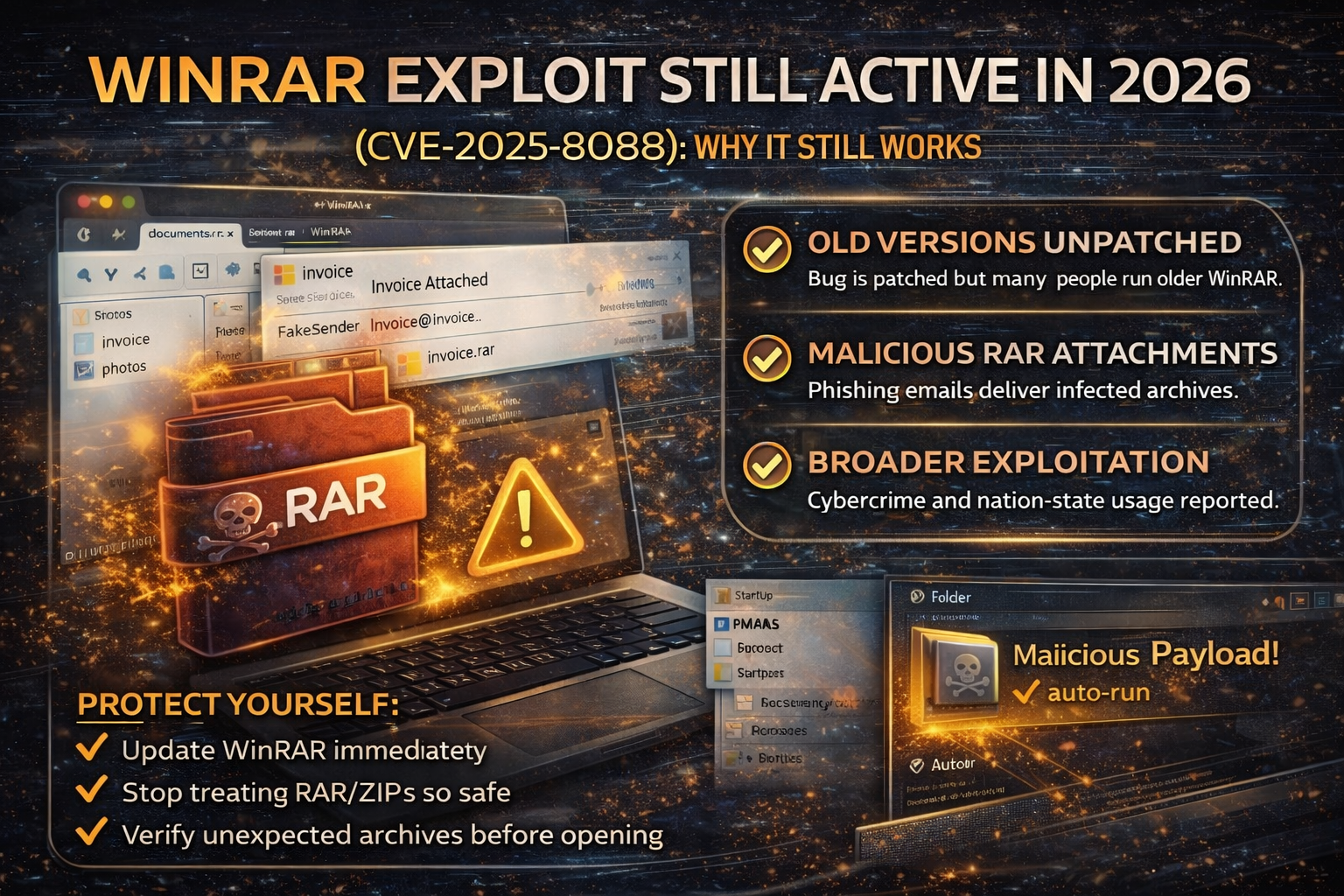
WinRAR Exploit Still Hitting People in 2026: Why a “Patched” Bug (CVE-2025-8088) Keeps Getting Used and How to Stay Safe
A lot of cyberattacks don’t rely on brand-new zero-days. They rely on something far simpler: people not updating software.
That’s exactly what’s happening with WinRAR right now. Security reporting and threat intelligence say a WinRAR vulnerability (CVE-2025-8088) that was patched in July 2025 is still being exploited widely in early 2026 because many systems still run older WinRAR versions.
This is a classic “n-day” problem: a patch exists, but attackers keep winning because the patch isn’t applied.
What Is CVE-2025-8088 (In Simple Words)?
CVE-2025-8088 is a WinRAR vulnerability that attackers can abuse using a malicious archive file. When the victim extracts the archive using a vulnerable WinRAR version, the attacker’s file can end up placed in a location that leads to automatic execution on reboot, commonly by planting a payload into the Windows Startup folder.
Threat reporting describes the abuse involving Windows Alternate Data Streams (ADS) and path traversal behavior to sneak malicious files alongside decoys.
1) WinRAR doesn’t force updates (so many people stay outdated)
Unlike many apps, WinRAR updates are often manual in real life. Many users ignore update prompts and continue using older versions, keeping the attack surface alive.
2) “Archives feel safe”
People open RAR/ZIP files every day at work:
- invoices
- travel documents
- contracts
- “scanned PDF” bundles
- “photos” and “reports”
Attackers exploit this trust by hiding malware behind a normal-looking file inside the archive (a decoy), while the malicious piece is dropped where it will run later.
3) Both nation-state and cybercrime actors are using it
Google’s Threat Intelligence Group (GTIG) reported widespread active exploitation by multiple types of actors (including government-backed and financially motivated groups).
News coverage also highlights activity attributed to Russia/China-linked actors and broader criminal adoption.
How These Attacks Usually Arrive (The Real-World Delivery Method)
In most real-world cases, the WinRAR exploit doesn’t “magically appear” on a computer. It arrives through social engineering, mainly:
- phishing emails with an attachment (“invoice.rar”, “documents.rar”, “photos.rar”)
- fake delivery notices and travel files
- “contract update” emails
- business email compromise chains (the attacker uses a real inbox to send “trusted” archives)
The WinRAR Exploit Risk: Who Should Worry Most?
Individuals (home users)
You’re at risk if you:
- download cracked software/games/tools
- open archives from unknown senders
- use old WinRAR versions on Windows
Small businesses (SMBs)
Security news has specifically warned SMBs are often hit hardest by “patched but still exploited” bugs because patching is inconsistent and email security controls are weaker.
Finance, HR, admin teams
If your job involves invoices, payroll, vendors, or documents attackers will aim at you first because you’re trained to open attachments.
How to Protect Yourself (Do This Today)
1) Update WinRAR immediately
Update to a version that includes the fix for CVE-2025-8088. GTIG and multiple reports emphasize that the vulnerability was patched in July 2025 and that running older versions keeps you exposed.
2) Stop treating archives as “safe”
Adopt a strict rule:
- If you weren’t expecting an archive file, don’t open it.
- If you must open it, confirm with the sender through another channel.
3) Use a “clean preview” habit
If you receive an archive:
- don’t rush
- verify the sender
- verify the context (“Why are they sending this?”)
- if it’s business-related, confirm with a call/message
4) Harden Windows Startup abuse paths (business environments)
Since many reported attack chains aim for Startup-folder persistence behavior, defenders should:
- monitor Startup folder writes
- alert on suspicious LNK/HTA/BAT file creation in Startup paths
- watch for unexpected script execution on boot
(Keep it simple if you’re not an IT team: “watch for weird things appearing in Startup.”)
What To Do If You Already Opened a Suspicious RAR/ZIP
If you extracted or opened something and now you’re worried:
- Disconnect from internet (stop downloads/callbacks)
- Run a full malware scan (Windows Defender + reputable second opinion)
- Check Startup apps and Startup folders for unfamiliar entries
- Change passwords (especially email) from a clean device
- If it’s a work device: inform IT immediately
FAQ
Is this a zero-day?
No. Reporting describes it as actively exploited even though a patch exists (a “patched but still exploited” vulnerability).
Can I be infected just by downloading a RAR file?
Usually, the risk increases when you open/extract it using a vulnerable version and then a malicious component gets placed and executed.
Why are attackers still using old vulnerabilities?
Because it’s cheap, reliable, and scalable. If enough people don’t patch, the exploit remains profitable.
About The Author




