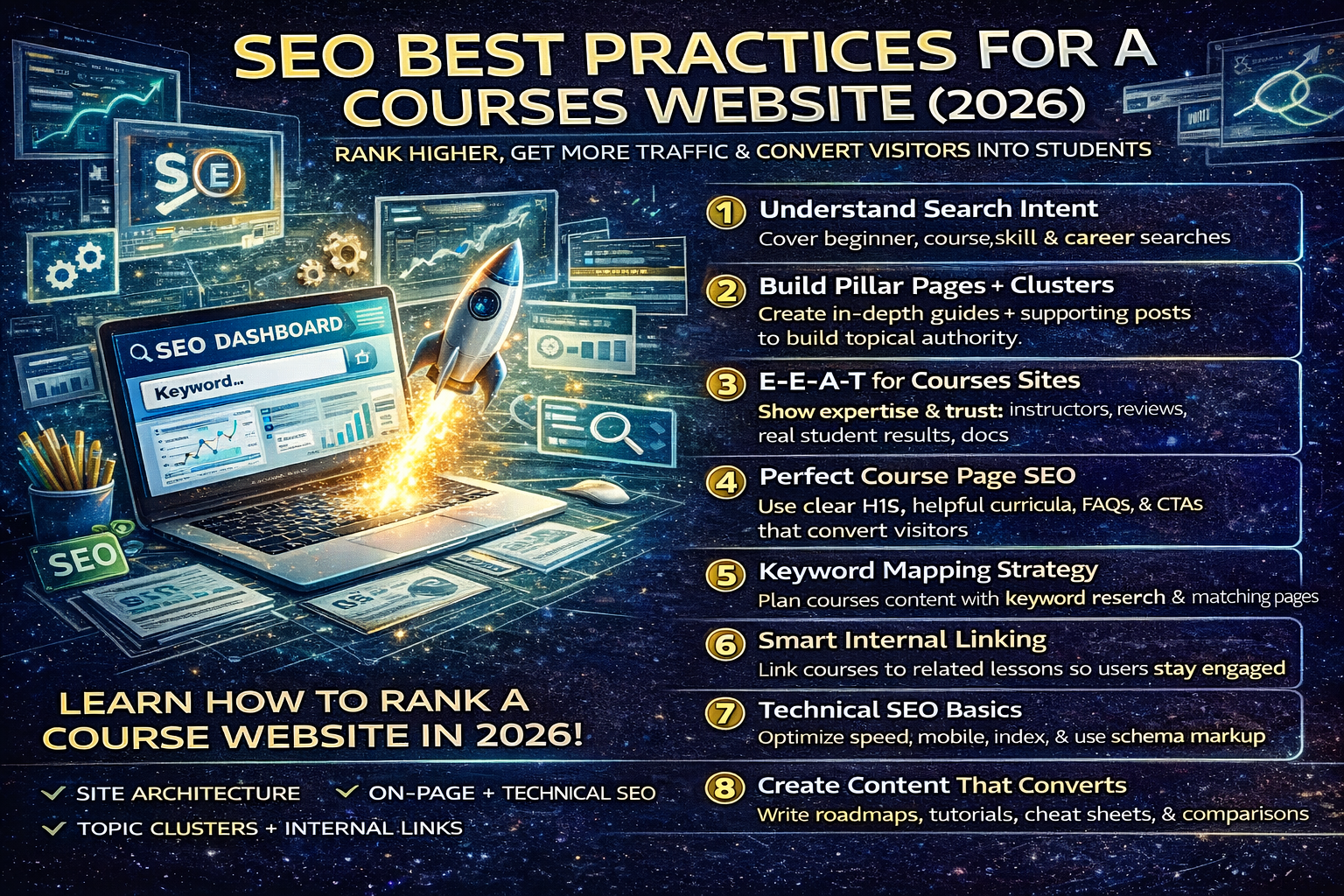
SEO Best Practices for a Courses Website in 2026: Rank Higher, Get More Traffic, and Convert Visitors Into Students
If you run a courses website in 2026, SEO is not just “keywords + blog posts.” Google rewards sites that are genuinely helpful, well-structured, fast, and trusted. The biggest mistake most course websites make is publishing many thin pages (or copying outlines), then hoping rankings will come. The sites that rank consistently do the opposite: they build topic clusters, create high-trust course pages, improve UX, and publish content that answers real questions better than anyone else.
This guide is a complete SEO blueprint for any online courses website (language learning, programming, design, business, cooking—any subject). It focuses on ranking systems that matter today: helpful content, strong site architecture, on-page SEO, technical SEO, internal linking, and conversion-friendly design—without spam tactics.
1) Understand Search Intent for Course Websites (The Core of Rankings)
Most course-related searches fall into four intent types. If your site covers all four, you’ll capture traffic from every stage of the buyer journey.
A) Beginner Intent (Exploration)
Examples:
- “how to start learning Spanish”
- “learn Python from scratch”
- “best way to learn graphic design”
Best content type: learning roadmaps, beginner guides, “start here” pages.
B) Course Intent (Comparison)
Examples:
- “best online Spanish course”
- “Python course free vs paid”
- “UI/UX bootcamp vs self-study”
Best content type: comparison pages, “best courses” lists, curriculum breakdowns, reviews.
C) Skill Intent (Problem-solving)
Examples:
- “how to use Excel pivot tables”
- “present perfect tense examples”
- “how to create a logo in Illustrator”
Best content type: tutorials, step-by-step guides, cheat sheets, short lessons.
D) Career/Outcome Intent (High conversion)
Examples:
- “can I get a job with Google data analytics certificate”
- “how to become a UI designer”
- “what skills are needed for digital marketing”
Best content type: career guides, portfolios, salary/role breakdowns, project-based learning pages.
Action: Build content clusters so each course topic has pages targeting all four intent types.
2) Build a Site Structure Google Can Understand (And Users Love)
Course sites that rank long-term have a clean structure. Your goal is to make your site feel like a well-organized school.
Recommended site structure
- /courses/ (all courses)
- /courses/topic/ (e.g., /courses/spanish/)
- /courses/topic/course-name/ (individual course page)
- /blog/ (guides, tutorials)
- /resources/ (cheat sheets, templates)
- /about/, /contact/, /policy/
Topic cluster model (how big sites rank)
Pick a “pillar” topic, then publish supporting posts that link back.
Example (non-cyber niche): “Learn Excel” pillar page
Supporting pages:
- Excel basics for beginners
- formulas cheat sheet
- pivot tables step-by-step
- dashboards tutorial
- Excel interview questions
- best Excel courses (free + paid)
This builds topical authority because Google sees a connected ecosystem.
3) E-E-A-T for Course Websites (Trust = Rankings + Sales)
Even if you’re not in a “medical” niche, trust matters. Course sites compete heavily, and visitors need to believe you’re real.
Add trust signals everywhere
- Instructor bios with experience
- Real photos (or consistent brand visuals)
- Testimonials (specific outcomes, not generic “great course”)
- Student results (projects, before/after examples)
- “Last updated” dates on guides
- Transparent pricing and refund policy
Create an editorial policy page
Explain:
- how you create course content
- how often you update it
- what sources you use (if applicable)
- how you keep lessons accurate and current
This improves user trust and reduces bounce rate (which indirectly helps SEO through engagement and brand signals).
4) On-Page SEO for Course Pages (Recommended Layout)
Most course pages fail because they are too thin: title, a few bullets, buy button. A rankable course page in 2026 needs depth and structure.
Perfect course page layout
H1: Course name + outcome
Example: “Excel for Beginners: Learn Formulas, Pivot Tables, and Dashboards (2026)”
Intro (150–250 words):
- who it’s for
- what you’ll be able to do
- why this course is different
H2: What you’ll learn
Bullet outcomes:
- build spreadsheets confidently
- use key formulas
- create pivot tables
- make dashboards
- analyze real data
H2: Who this course is for
- absolute beginners
- students
- job seekers
- office professionals
H2: Prerequisites
Keep it simple:
- laptop + internet
- no experience needed
H2: Curriculum (module breakdown)
Module 1–8 with short bullet objectives.
This is SEO gold because it creates long-tail keyword coverage naturally.
H2: Projects / Assignments
Show practical work:
- real dataset project
- mini quizzes
- final portfolio piece
H2: Course duration + schedule
- estimated hours
- flexible/structured pacing
H2: Certificate / proof
If you offer it, explain how it’s earned.
H2: FAQs
Answer real queries:
- is it beginner friendly?
- can I learn without math?
- do I need paid software?
- what should I learn next?
CTA section
- “Enroll now”
- “Download free sample lesson”
- “View syllabus PDF”
5) Keyword Strategy That Works in 2026 (Without Stuffing)
You don’t need to repeat the same keyword 50 times. You need semantic coverage and natural wording.
Use keyword mapping
For each course topic, map keywords to page types:
Example: “Learn Spanish”
- Pillar page: “How to Learn Spanish (2026 Roadmap)”
- Course page: “Best Spanish Course for Beginners”
- Tutorial posts: “Spanish verbs cheat sheet,” “How to use ser vs estar”
- Comparison post: “Duolingo vs Spanish course vs tutor”
This builds a system that ranks across multiple search intents.
6) Internal Linking Strategy That Builds Authority
Internal links are one of the easiest ranking boosts because they pass relevance and guide crawlers.
Rules that work
- Every blog post links to a related course page
- Every course page links to 3–6 supportive blog posts
- Create “Next lesson” links (like a curriculum)
- Use natural anchor text (avoid repeating exact match every time)
Example internal link section for a tutorial page
“Related lessons: Excel formulas → Pivot tables → Dashboard project → Excel course page”
7) Technical SEO Checklist for Course Websites
Technical SEO matters because course sites often become slow and messy over time.
A) Speed and Core Web Vitals
- compress images
- use caching
- reduce heavy plugins
- avoid bloated page builders without optimization
B) Mobile-first UX
Most traffic is mobile. Ensure:
- readable fonts
- large tap buttons
- fast loading
- clean menus
C) Index control (avoid thin/duplicate pages)
- don’t index internal search pages
- avoid auto-generated tag pages if thin
- use canonical tags where needed
- no duplicate course pages (same content with multiple URLs)
D) Schema markup (helps visibility)
Use structured data:
- Course schema
- FAQ schema (for FAQ sections)
- Organization schema
- Breadcrumbs schema
This can increase rich results and improve click-through rate.
8) Content That Ranks and Converts (The Winning Formula)
In 2026, the best course content does two things:
- solves the user’s problem
- proves your course is the best next step
High-ranking post formats for course websites
- “Complete roadmap” posts (best for beginners)
- “Cheat sheet” posts (high shares + backlinks)
- “Step-by-step tutorial” posts (featured snippet magnets)
- “Comparison” posts (high conversion)
- “Mistakes to avoid” posts (trust building)
Example (non-cyber niche): Design course blog post ideas
- “UI Design Roadmap (2026): Learn in 30 Days”
- “Top UI Mistakes Beginners Make (With Fixes)”
- “Figma Shortcuts Cheat Sheet”
- “UI Portfolio Projects for Beginners”
- “Best Free UI Resources (2026)”
9) A 30-Day SEO Execution Plan for a Courses Website
Week 1: Foundation
- Build 3 pillar pages (roadmaps)
- Improve course page structure and depth
- Add trust pages (About, Contact, Policy, Refund)
Week 2: Publish cluster content
- Publish 6 supporting posts under one pillar
- Interlink all posts → pillar → course page
Week 3: Create conversion-focused content
- 2 comparison posts (“best course vs alternatives”)
- 2 tutorial posts (“how to do X”)
- Add FAQs to course pages
Week 4: Update + optimize
- Update older posts with 2026 updates
- Improve titles/meta descriptions
- Add internal links and fix broken links
- Compress images and improve speed
About The Author




