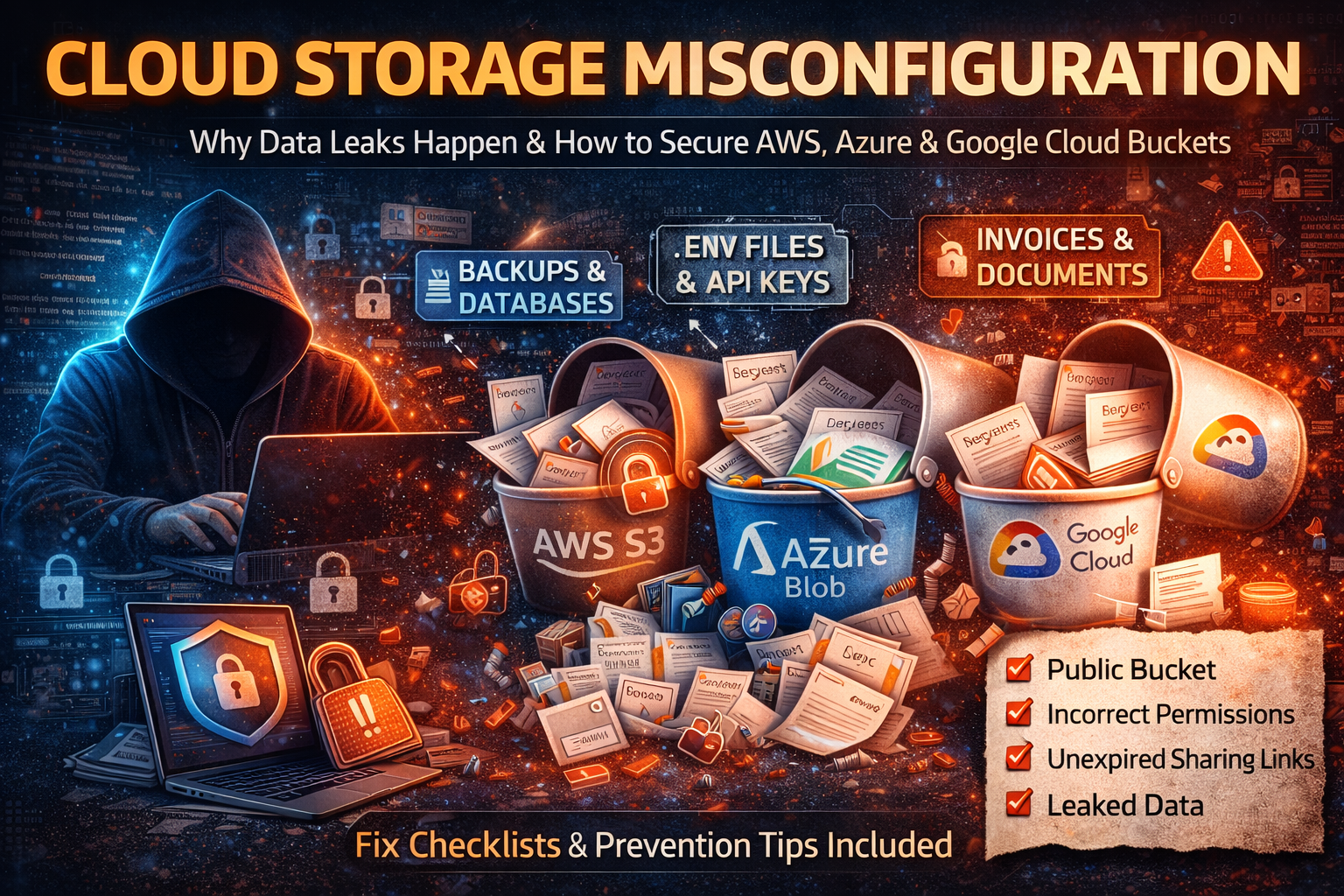
Cloud Storage Misconfiguration: How Data Leaks Happen in AWS S3, Azure Blob, and Google Cloud Storage (2026)
Cloud storage is where modern businesses keep everything: website assets, customer uploads, invoices, backups, logs, mobile app media, and internal documents. That convenience comes with a brutal downside: a single wrong setting can turn “private storage” into “public internet download.” And the worst part is that many cloud storage leaks don’t look like hacking. There’s often no broken password, no malware, no dramatic breach screen. It’s simply a bucket or container configured in a way that allows access it should never allow.
This article breaks down exactly how cloud storage exposure happens, what attackers search for when they find a public bucket, how to quickly confirm whether your storage is exposed, and how to secure storage properly on AWS S3, Azure Blob Storage, and Google Cloud Storage (GCS). If you manage websites, APIs, WordPress media, backups, or customer files, this is the type of guide that can save you from a high-impact incident.
What Cloud Storage Misconfiguration Actually Means
A cloud storage misconfiguration is any setup where your storage permissions, policies, or sharing methods give access beyond what you intended. This can happen in several ways, and each one has a different risk level.
Public Read: Anyone Can Download Files
Public-read is the most common misconfiguration. It means that if someone has the file URL (or discovers it), they can open it without authentication. Many teams assume, “It’s fine because nobody knows the link.” In reality, links leak easily: through logs, referrer headers, email forwards, chat screenshots, developer notes, browser sync, CDN logs, analytics tools, and even accidental posting in documentation.
When public-read is enabled on a bucket that contains customer documents, invoices, KYC scans, private PDFs, or internal exports, it becomes a silent breach.
Public Listing: Anyone Can Browse Filenames
Public listing is often worse than a single public file. It allows outsiders to enumerate file names and sometimes folder structures. Filenames reveal more than people think. Attackers look for patterns like:
backup_prod_2026_01_31.sqlcustomers_export.csvpayroll.xlsxkyc_passport_front.jpgadmin_logs_2026.zip
Once attackers can list, they don’t need to guess URLs anymore. They can collect entire datasets quickly.
Public Write: Anyone Can Upload or Replace Files
Public write is rare but extremely dangerous. If attackers can upload new files or replace existing ones, you can get:
- malware hosted under your trusted domain
- replaced website assets (images/JS) to inject malicious scripts
- poisoned downloadable files for visitors
- reputation damage and search engine penalties
If your website or app serves files directly from storage, public-write can become a full compromise chain.
Over-Permissive Access: Too Many Roles, Vendors, or Apps
Sometimes the storage isn’t public to “everyone,” but it’s effectively public internally because too many accounts can access it. Agencies, freelancers, CI/CD service accounts, plugins, and old team members often accumulate permissions. This increases the chance of mistakes and makes investigations painful because nobody can confidently answer, “Who accessed what, and when?”
Why Cloud Storage Leaks Are So Common
Cloud platforms are powerful and flexible. The same flexibility that helps you ship fast is also what makes cloud storage easy to misconfigure:
- buckets may inherit permissions from organization policies
- ACLs and IAM can conflict or behave differently than expected
- “static website hosting” features push teams toward public access
- sharing links and tokens are created quickly and forgotten
- infrastructure templates are copied across projects without security review
- third-party tools request broad permissions “to make it work”
Most teams get burned not because they’re careless, but because the system is complex and defaults aren’t always safe for real-world use.
What Attackers Look For When They Find an Exposed Bucket
If your storage becomes accessible, attackers rarely waste time on normal images. They hunt for a small set of high-value file types and folders. Knowing what they search for helps you audit and fix faster.
1) Backups and Database Dumps (Highest Value)
Backups are the jackpot. They frequently contain entire customer datasets, internal tables, tokens, logs, and configuration history. Attackers look for:
.sql,.dump,.bak,.tar,.tar.gz,.zip- folder names like
/backup/,/db/,/prod/,/snapshot/,/exports/ - timestamps in filenames that suggest regular backup schedules
A single exposed backup can lead to account takeover, fraud, and long-term identity exposure.
2) Configuration Files and Environment Variables (Instant Access)
Teams sometimes upload configs for convenience or debugging, or they end up in “support bundles.” Attackers search for:
.env,config.json,settings.yaml,credentials.json- database URLs, SMTP credentials, API keys, service account keys
- “secret” strings inside JSON and YAML
If a configuration file is exposed, attackers may not need to exploit anything else. They can use the secrets directly.
3) Logs and Debug Output (Quietly Dangerous)
Logs often contain sensitive data because developers log too much during errors. Attackers search for:
- auth tokens, bearer tokens, session identifiers
- user emails and phone numbers
- internal endpoints, admin paths, stack traces
- payment references and webhook payloads
Even if you never stored secrets intentionally, logs can leak them accidentally.
4) Customer Files and Financial Documents (High Abuse Potential)
Invoices, contracts, IDs, KYC scans, receipts, and HR documents enable scams and identity abuse. Attackers can impersonate customers, craft highly believable phishing, or attempt financial fraud using leaked details.
The 7 Most Common Ways Buckets Become Public
1) “Temporary Public Access” That Never Gets Reversed
A developer makes a bucket public to unblock a feature, share a file, or fix a permissions error. Later, nobody remembers it was changed. This is extremely common during launches and incidents when speed beats caution.
2) Static Website Hosting Mixed With Private Data
Many teams host static assets (images/JS/CSS) via bucket hosting or CDN. That may require public read access for certain paths. The leak happens when private uploads, backups, exports, or logs are placed in the same bucket—so the “public for website assets” becomes “public for everything.”
3) Public Access via ACLs (Legacy Settings)
ACLs are one of the biggest sources of confusion. A bucket can look locked down at a policy level, but individual objects can still be public if ACLs allow it. In mixed environments, a single public object is enough to leak sensitive data.
4) Bucket Policy Grants Access to Everyone (Wildcard Mistakes)
A small policy error—like allowing a wildcard principal—can turn a bucket into public storage. This often comes from copying policies from old tutorials or internal snippets without understanding the impact.
5) Overly Broad CORS and Cross-Origin Use Cases
CORS doesn’t “make a bucket public” by itself, but combined with public object access it can enable abuse scenarios where untrusted sites can fetch resources in ways you didn’t expect, especially if sensitive assets are stored incorrectly. It’s also a sign the bucket was configured quickly for convenience.
6) Long-Lived Sharing Links, SAS Tokens, or Signed URLs
Sharing tokens are meant to be temporary. The leak happens when they are configured for weeks/months, or reused across teams, or embedded into frontend code where they can be extracted.
7) Vendor Accounts and Plugins With Permanent Access
A WordPress plugin, backup tool, or vendor integration may be granted broad permissions to storage. If that account is compromised—or simply misused—it can expose or modify storage contents. Old vendor accounts are especially risky because they’re rarely audited.
Quick Self-Test: Is Your Cloud Storage Exposed Right Now?
Incognito URL Test (Fastest)
Open a file URL in an incognito/private browser window. If it loads without login, public read is enabled or the object is exposed.
Listing Test (Critical)
If you can browse a folder-style listing or view object lists without authentication, you have public listing exposure. That is urgent because it enables bulk harvesting.
“Public Access” Indicators in Console
All major providers show some form of “public access” status. If you see public access warnings, do not ignore them—verify whether they apply to the bucket, objects, or inherited permissions.
Check What’s Inside the Bucket
If your bucket contains any of these, treat it as sensitive and lock it down immediately:
- backups
- exported CSVs
- logs
- invoices/KYC
- config files
- admin reports
How to Secure AWS S3 (Deep, Practical Fixes)
AWS S3 security comes down to getting three things right: public access blocking, ownership/ACL control, and tight bucket policies.
1) Enable “Block Public Access” (Account Level + Bucket Level)
This should be the default posture for most organizations. Blocking public access at the account level helps prevent accidental exposure across all buckets—especially when new buckets are created by automation, plugins, or different teams.
After enabling it, confirm it is also enforced on your sensitive buckets. If you must host public assets, use a dedicated bucket and keep public access constrained only to the assets that must be public, not everything.
2) Eliminate ACL Confusion (Use “Bucket Owner Enforced”)
If your workflows don’t require ACLs, set object ownership to enforce bucket ownership. This prevents the “one object accidentally public” problem and simplifies access control so policies and IAM are the primary mechanisms.
This matters because many real-world exposures happen at the object level—someone uploads a file with a public ACL, and suddenly a private document becomes public even though the bucket looks “secure.”
3) Review Bucket Policies for Dangerous Patterns
The most common policy mistakes are:
- allowing access to everyone on the internet
- granting broad actions instead of narrow ones
- applying policies to the entire bucket rather than specific prefixes
A secure design is usually:
- private by default for the bucket
- public access (if needed) limited to
/public/*assets only - write permissions allowed only to a backend role/service identity
- no public write, ever
If you’re serving public assets, consider serving them through a CDN layer and keep the origin bucket locked as much as possible, depending on your architecture.
4) Turn On Versioning for Important Buckets
Versioning is not just for accidental deletions. It protects you from overwrites and malicious modifications. If an attacker or misconfigured tool replaces files, versioning can help restore quickly.
For buckets used as backup targets, versioning is often a lifesaver.
5) Enable Logging and Alerts (So You Know When It’s Wrong)
Many organizations discover storage leaks months later because there was no visibility. At minimum, you want:
- logging of access events for sensitive buckets
- audit logs for permission/policy changes
- alerting for “bucket became public” events and unusual download spikes
If you can’t answer “who downloaded which file and when,” your incident response becomes guesswork.
How to Secure Azure Blob Storage (Deep, Practical Fixes)
Azure Blob exposures commonly come from container access level and SAS token management.
1) Set Container Access to Private Unless It’s Truly Public
Azure containers can be configured in ways that allow public reads (and sometimes listing). If the container is for uploads, invoices, exports, or anything customer-related, it should be private.
If you need public hosting (like public images), use a separate container dedicated to public assets and keep private data isolated.
2) Treat SAS Tokens Like Passwords (Because They Basically Are)
SAS tokens grant access without requiring an interactive login, which makes them extremely powerful—and extremely dangerous when long-lived.
A secure SAS approach looks like this:
- short expiration windows
- minimal permissions (read-only unless absolutely required)
- scope limited to a specific blob or path
- monitoring enabled for unusual SAS usage
- rotation practices when tokens are shared
Long-lived SAS tokens are one of the most common reasons storage leaks persist.
3) Prefer Azure AD + RBAC Over Shared Keys
Shared keys can be copied, reused, and stored insecurely. Using Azure AD with RBAC gives you stronger control and clearer audit trails. It also makes it easier to revoke access when a vendor relationship ends or a key is suspected compromised.
4) Logging + Alerts for Access Level Changes
If someone changes container settings to allow public access, you want immediate visibility. Monitor configuration changes and set alerts for unusual download patterns, especially if you store sensitive documents.
How to Secure Google Cloud Storage (GCS) (Deep, Practical Fixes)
Google Cloud Storage security often fails due to broad IAM bindings and the confusion between object ACLs and bucket-level policies.
1) Remove Public/Overly Broad Members Immediately
The most common dangerous members are:
- public internet access bindings
- overly broad authenticated user access
If the bucket is not meant to be public, remove these and lock down access to service accounts and approved users only.
2) Enable Uniform Bucket-Level Access to Simplify Control
Uniform bucket-level access reduces the chance that object ACLs create surprises. It forces a consistent permission model where IAM is the primary control plane, which makes audits and governance much easier.
3) Apply Least Privilege Roles Only
Avoid broad roles for human accounts. Assign narrow roles to services that need specific access:
- read-only roles for services that only download
- upload-only roles where you don’t want read-back
- admin roles limited to a small group with strong security controls
4) Audit Logs and Alerts
Turn on audit visibility for:
- IAM changes on buckets
- unusual data access patterns
- spikes in downloads from unexpected networks/regions
Without logs, storage exposure can become invisible and long-running.
What to Do If Your Bucket Was Exposed (Incident Response That Actually Works)
If you suspect exposure, speed matters more than perfect certainty. The safe approach is to contain first, then investigate.
1) Lock Down Access Immediately
Make the bucket/container private first. Remove public access, disable anonymous access, and remove broad permissions. Do not wait to “confirm” while it remains exposed.
2) Preserve Evidence Before Retention Deletes It
Export audit logs and configuration snapshots. Capture current policies, access settings, and timestamps. This helps you understand what happened and prove what changed.
3) Identify the Highest-Risk Exposed Files
Start with the most damaging categories:
- backups and exports
- configuration files and environment files
- logs
- customer documents
- admin reports
If any file in these categories was exposed, assume it was accessed.
4) Rotate Secrets Immediately
If configs/logs/backups contained credentials, rotate them right away:
- API keys and tokens
- database credentials
- service account keys
- CI/CD secrets
Treat it like compromise, not “maybe.”
5) Check for Secondary Impact
A public bucket leak often leads to deeper compromise if secrets were exposed. Check:
- unusual database queries
- new admin accounts or role changes
- unexpected API usage spikes
- suspicious logins to hosting panels or WordPress admin
6) Document and Notify When Required
If customer data or regulated data was exposed, you may have legal or contractual obligations. Document scope, timeline, containment steps, and remediation actions.
The Architecture That Prevents Most Storage Leaks
The most reliable pattern is separation:
Public Bucket / Container (Only What You Want Public)
Use it for:
- website images
- CSS/JS assets
- public downloads meant for everyone
Private Bucket / Container (Everything Sensitive)
Use it for:
- uploads
- invoices
- backups
- logs
- internal exports
When users need access to private files, do not make the bucket public. Instead use:
- short-lived signed URLs
- backend-authenticated downloads
- least privilege service identities
This one decision—public and private separated—prevents an enormous number of real-world incidents.
Cloud Storage Security Checklist (Complete)
Block accidental exposure:
- Block public access by default at the account/org level where possible
- Keep public hosting in a dedicated bucket/container only
- Disable or control ACLs (use uniform access / bucket owner enforced mode)
Prevent broad permissions:
- Apply least privilege IAM roles (no “everyone admin”)
- Remove unused vendor accounts and old service accounts
- Require MFA for privileged accounts
Protect data and reduce blast radius:
- Encrypt sensitive buckets by default
- Enforce HTTPS/TLS access where applicable
- Use versioning for critical buckets and backup targets
Detect and respond faster:
- Enable audit logs for permission changes
- Log object access for sensitive buckets/containers
- Alert on public access changes and unusual download spikes
Manage sharing safely:
- Use short-lived signed URLs / SAS tokens
- Scope tokens to minimal permissions and specific paths
- Rotate tokens and monitor usage
FAQ: Cloud Storage Misconfiguration
Can attackers discover public buckets even if I never shared the link?
Yes. Bucket names and file links leak through code repositories, logs, analytics, documentation, CDN configs, and predictable naming patterns. Attackers also scan for exposed storage endpoints and common bucket naming structures.
Is “anyone with the link” secure?
Not reliably. Links and tokens get forwarded, logged, cached, and extracted from frontend code. If a link doesn’t expire quickly, it becomes a long-term exposure.
Is static website hosting always insecure?
No. It’s insecure when private data is stored alongside public assets or when policies are too broad. A separate public bucket for assets and a private bucket for sensitive data is the safest approach.
What’s the fastest way to reduce risk today?
Block public access by default, separate public and private storage, remove broad IAM/anonymous access, and add logging/alerts for permission changes.
About The Author




